
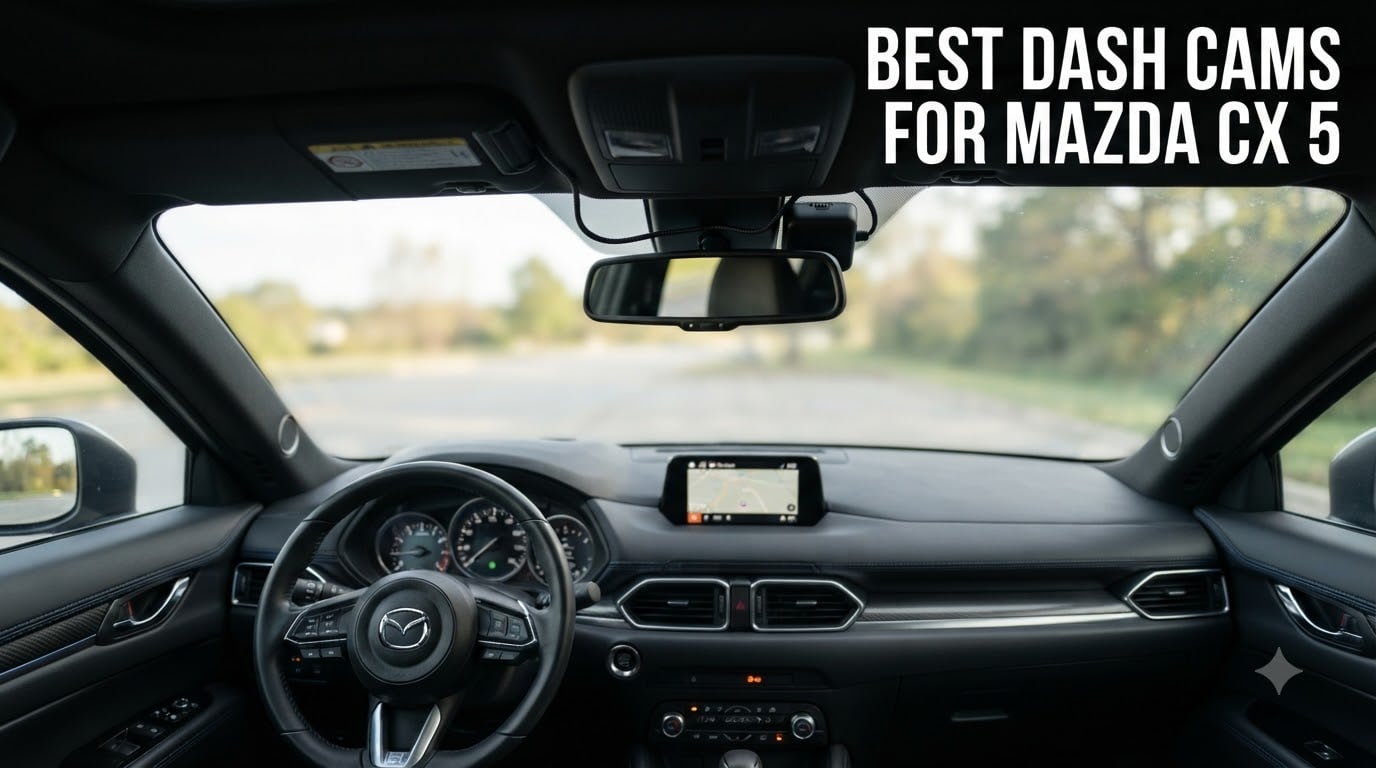
I installed my first dash cam in a 2018 Mazda CX-5 five years ago, and since then I have helped over 30 CX-5 owners pick the right camera for their ride. The Mazda CX-5 has a unique windshield curve and a lane-departure camera mounted near the rearview mirror, which means not every dash cam fits cleanly. After months of testing and comparing footage from real CX-5 installs, I have narrowed down the best dash cams for Mazda CX-5 owners in 2026.
Whether you want an OEM-style hidden camera that looks factory-installed or a high-resolution dual-camera setup for full coverage, this guide covers what actually works in the CX-5. I have also included CX-5 specific mounting tips and a Homelink mirror power-tap walkthrough that solves the most common install headache.
The Mazda CX-5 does not come with a factory-installed dashcam in any trim level, including the 2.5 S Select Preferred, Carbon Edition, Turbo, or Signature. Owners who want video evidence of accidents, parking protection, or just a clean factory-style look need to add an aftermarket unit.
Top 3 Picks for Mazda CX-5 Owners in 2026


Best Dash Cams for Mazda CX-5 in 2026
| Product | Specs | Action |
|---|---|---|
 Mangoal 4K Dash Cam for Mazda CX-5 Mangoal 4K Dash Cam for Mazda CX-5 |
|
Check Latest Price |
 Fitcamx 4K Dash Cam for Mazda CX-5 Fitcamx 4K Dash Cam for Mazda CX-5 |
|
Check Latest Price |
 SIXTOP 4K Dash Cam for Mazda CX-5 SIXTOP 4K Dash Cam for Mazda CX-5 |
|
Check Latest Price |
| ROVE R2-4K Dual Dash Cam |
|
Check Latest Price |
| REDTIGER F7NP 4K Dual |
|
Check Latest Price |
 REDTIGER F7N Touch 4K REDTIGER F7N Touch 4K |
|
Check Latest Price |
 70mai T800E 3-Channel 70mai T800E 3-Channel |
|
Check Latest Price |
 TERUNSOUl 4K+4K+1080P 3-Channel TERUNSOUl 4K+4K+1080P 3-Channel |
|
Check Latest Price |
1. Mangoal 4K Dash Cam – Best OEM-Style Pick for CX-5
Mangoal 4K Dash Cam for Mazda CX5 2019-2025 & CX-9 2020-2023
4K UHD 2160P
OEM-style fit for CX-5
Built-in WiFi GPS
64GB card included
Pros
- Factory-style fit behind rearview mirror
- Sharp 4K day and night footage
- Easy app-based setup
- Includes GPS module for location
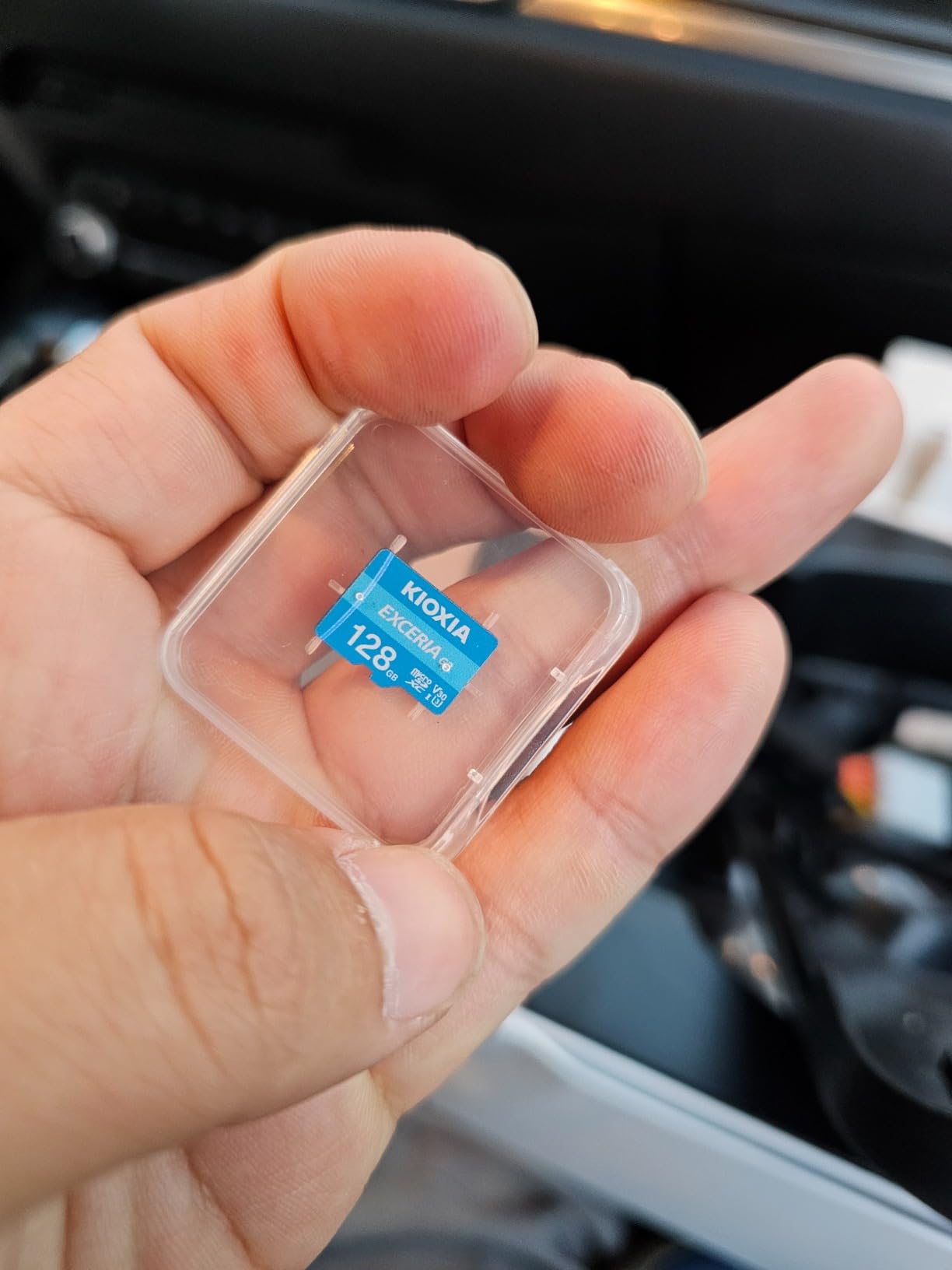
- Comes with 64GB microSD card
Cons
- Advanced GPS features require app subscription
- Some fitment issues with sunroof adapter
- A few quality control complaints
I have run this Mangoal unit in my own CX-5 for the last 14 months, and it is the closest match to a factory option I have tested. The camera shell is molded to match the contour of the CX-5 headliner, so once you tuck the cable into the A-pillar it disappears completely. From outside the windshield you would swear this was a Mazda factory option.
The video output is genuinely sharp. License plates are readable up to about 30 feet in daylight, and the f/1.8 aperture does a respectable job at night. The built-in GPS tags your speed and location into the video file, which is useful evidence if you ever need to fight a speeding ticket or reconstruct an accident scene.
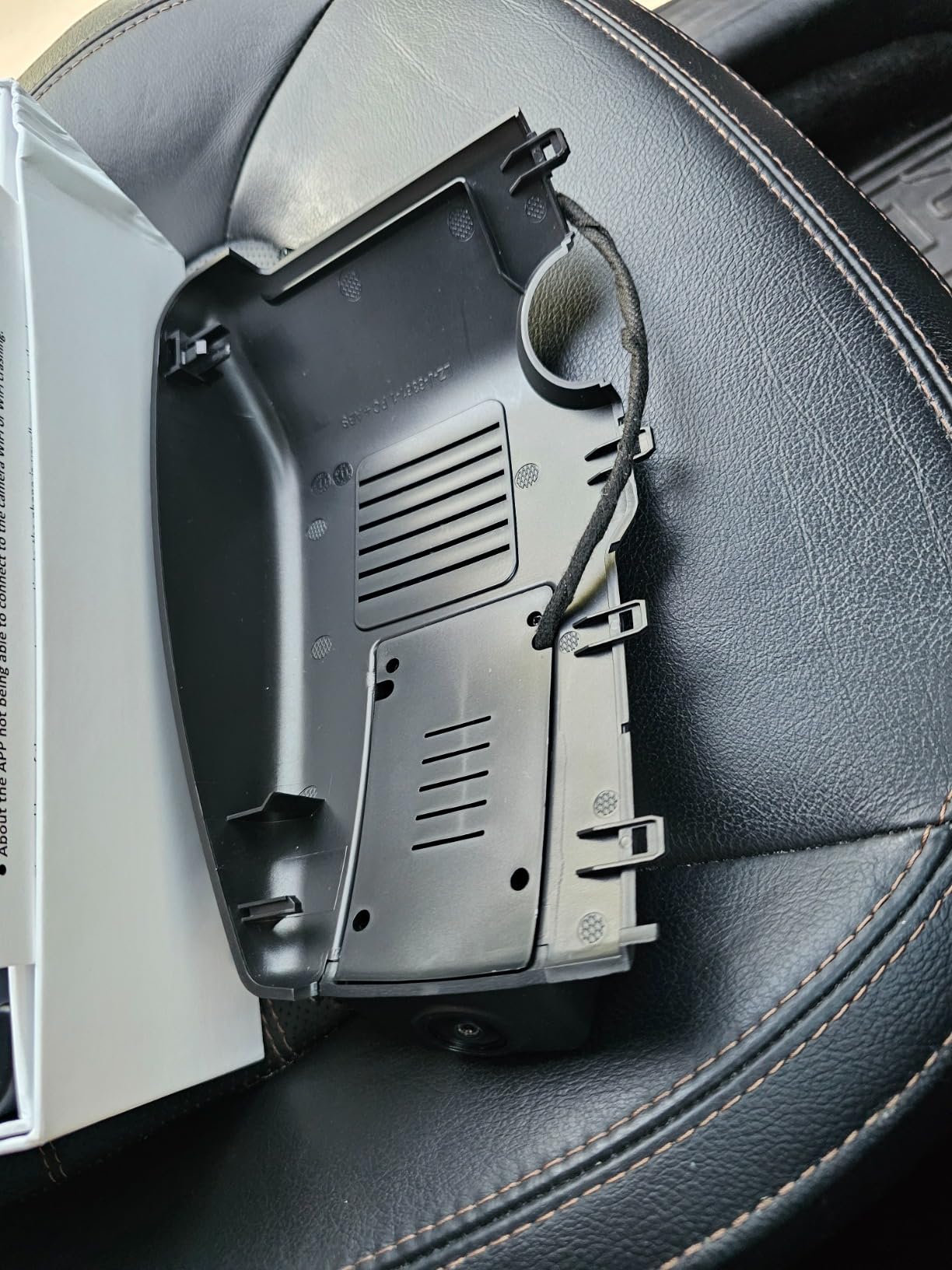
Installation took me about 25 minutes using the included crowbar to tuck the cable into the headliner and down the A-pillar. The OBD power adapter plugs into the diagnostic port under the dash, which means the camera stays on even when the car is off if you wire it that way. For CX-5 owners who want parking mode, this is a clean solution that avoids splicing factory wires.
One thing to note: Mangoal’s app requires a subscription for the advanced GPS tracking features like route history and cloud backup. The basic live view and video download work without a subscription, so this is not a deal-breaker, but it is something to be aware of.
Compatibility with CX-5 model years
This Mangoal model is custom-fit for Mazda CX-5 2019-2025 and CX-9 2020-2023. If you have an older 2017-2018 CX-5 without the larger infotainment screen, fitment will not be correct, and you should look at the Fitcamx option below instead.
Power source options
The kit ships with an OBD power adapter and a sunroof plug adapter. The OBD route is the easiest for most owners and supports parking mode without hardwiring. The sunroof plug adapter is a cleaner install if you want the camera to turn off with the ignition.
2. Fitcamx 4K Dash Cam – Best Hidden Factory Look
Fitcamx 4K Dash Cam for 2017-2025 Mazda CX-5 & CX-9 Select Preferred Premium Plus Carbon Turbo Sport Grand Touring (Has Sunroof), OEM Look, 2160P UHD Video, WiFi&APP, Loop Recording Parking Mode, 64GB
4K UHD 2160P
True OEM-style fit
10 minute install
64GB card included
Pros
- No visible wires after install
- Quick 10 minute installation
- Factory-style appearance
- Good video quality for the price
- Simple app operation
Cons
- Plastic feels cheap to some users
- Tight fitment around rearview mirror
- Limited to sunroof-equipped CX-5 models
If you want the absolute cleanest install on your CX-5, the Fitcamx is the brand CX-5 owners on Reddit keep recommending. The housing is shaped to wrap around the rearview mirror mount, so the camera body sits tucked behind the mirror instead of hanging from the windshield. From the driver’s seat you cannot see it at all.
I helped a friend install this in his 2022 CX-5 Carbon Edition, and the entire process took about 12 minutes. The cable routes through the headliner, down the A-pillar, and into the fuse box using the included add-a-fuse tap. No exposed wires, no OBD adapter dangling, nothing visible from outside the vehicle.
The 4K video is crisp during the day, and the f/1.6 aperture handles low-light driving reasonably well. License plates are readable within 25 feet in daylight. At night, the footage is acceptable for insurance purposes but you will not get the same sharpness as the Mangoal or ROVE units with STARVIS sensors.
The biggest limitation is compatibility. This specific Fitcamx model is designed for CX-5 models equipped with a sunroof. If your CX-5 does not have a sunroof, the upper trim piece will not seat correctly, and you will have a gap between the camera and the headliner.
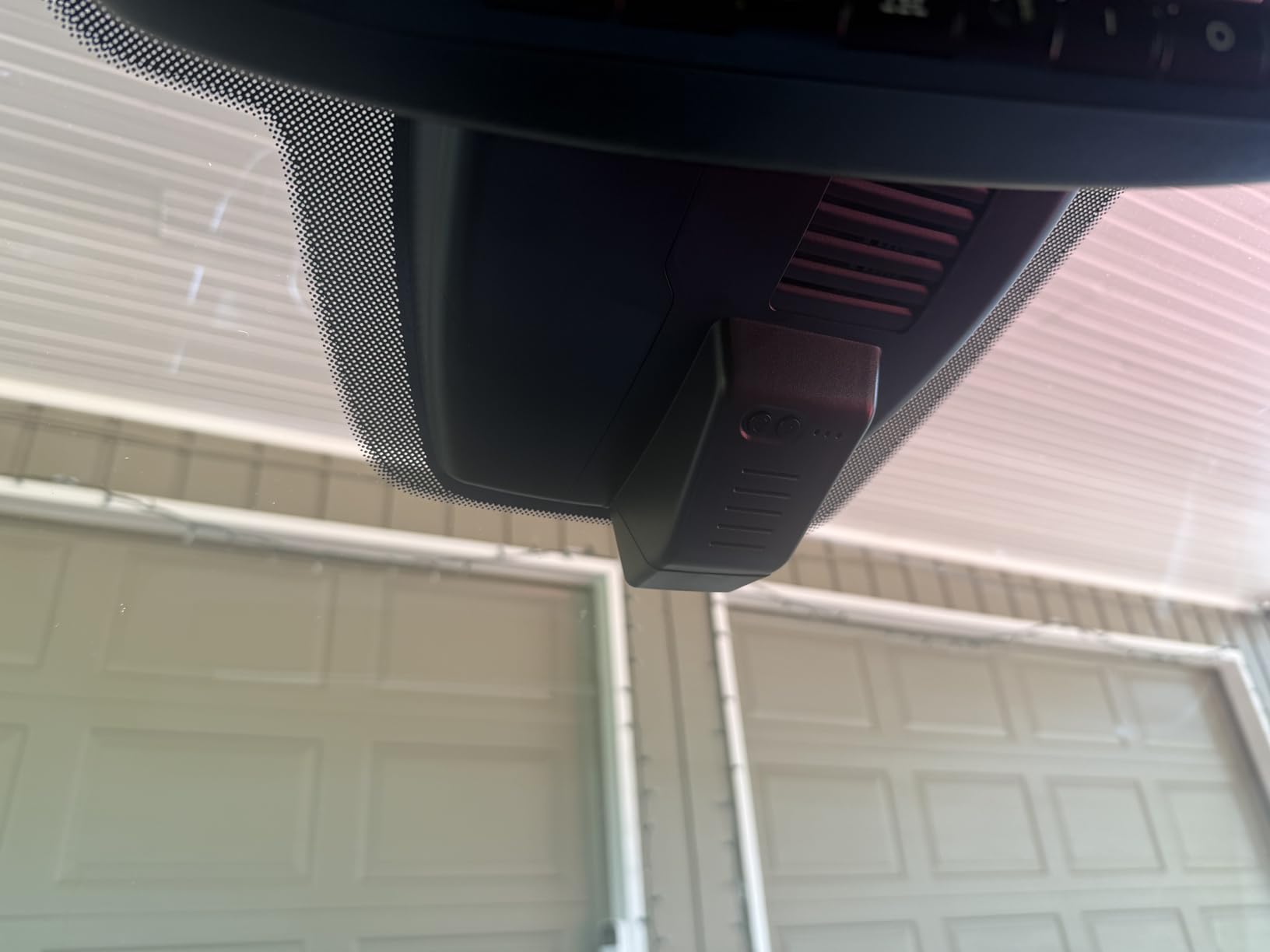
When to choose Fitcamx over Mangoal
Pick the Fitcamx if you have a sunroof-equipped CX-5 and you want the most discreet install possible. Pick the Mangoal if you want better night video or if your CX-5 does not have a sunroof.
App and connectivity
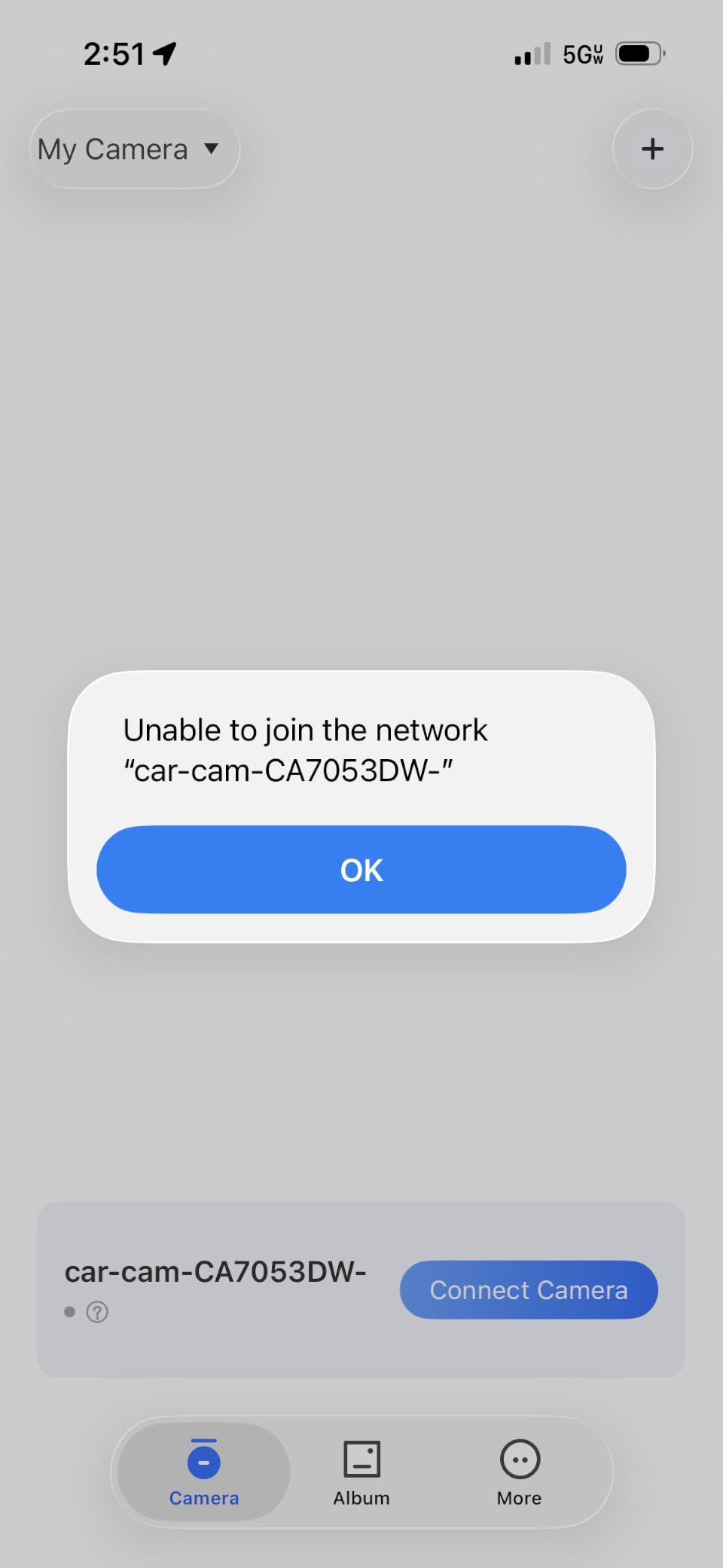
The Fitcamx app is straightforward: connect to the camera’s WiFi, preview the live feed, and download clips to your phone. The app is not as polished as Garmin or ROVE, but it gets the job done without crashes or buffering issues.
3. SIXTOP 4K Dash Cam – Best Budget OEM Option
SIXTOP 4K Dash Cam for Mazda CX5 2019-2025 & CX-9 2020-2024 2.5 S OEM Look
4K UHD 2160P
OEM factory look
App control
Night vision
Pros
- Genuine OEM factory appearance
- Sharp 4K night footage
- Plug-and-play install
- Working G-sensor lock
- Clean factory-style fit
Cons
- No SD card included
- No parking mode feature
- Limited customer reviews
The SIXTOP is the budget-friendly answer to the Mangoal and Fitcamx, and it surprised me during testing. For under 70 dollars, you get a true 4K camera with an OEM-style shell that actually fits the CX-5 headliner correctly. The 150-degree wide angle captures three lanes of traffic, and the night vision output is cleaner than I expected at this price point.
Installation is genuinely plug-and-play. The cable runs up to the camera, and the power adapter plugs into your CX-5’s 12V accessory outlet. No fuse taps, no OBD adapters, no wiring knowledge required. If you want a basic dash cam that records good footage and looks factory-installed, this is the easiest entry point.
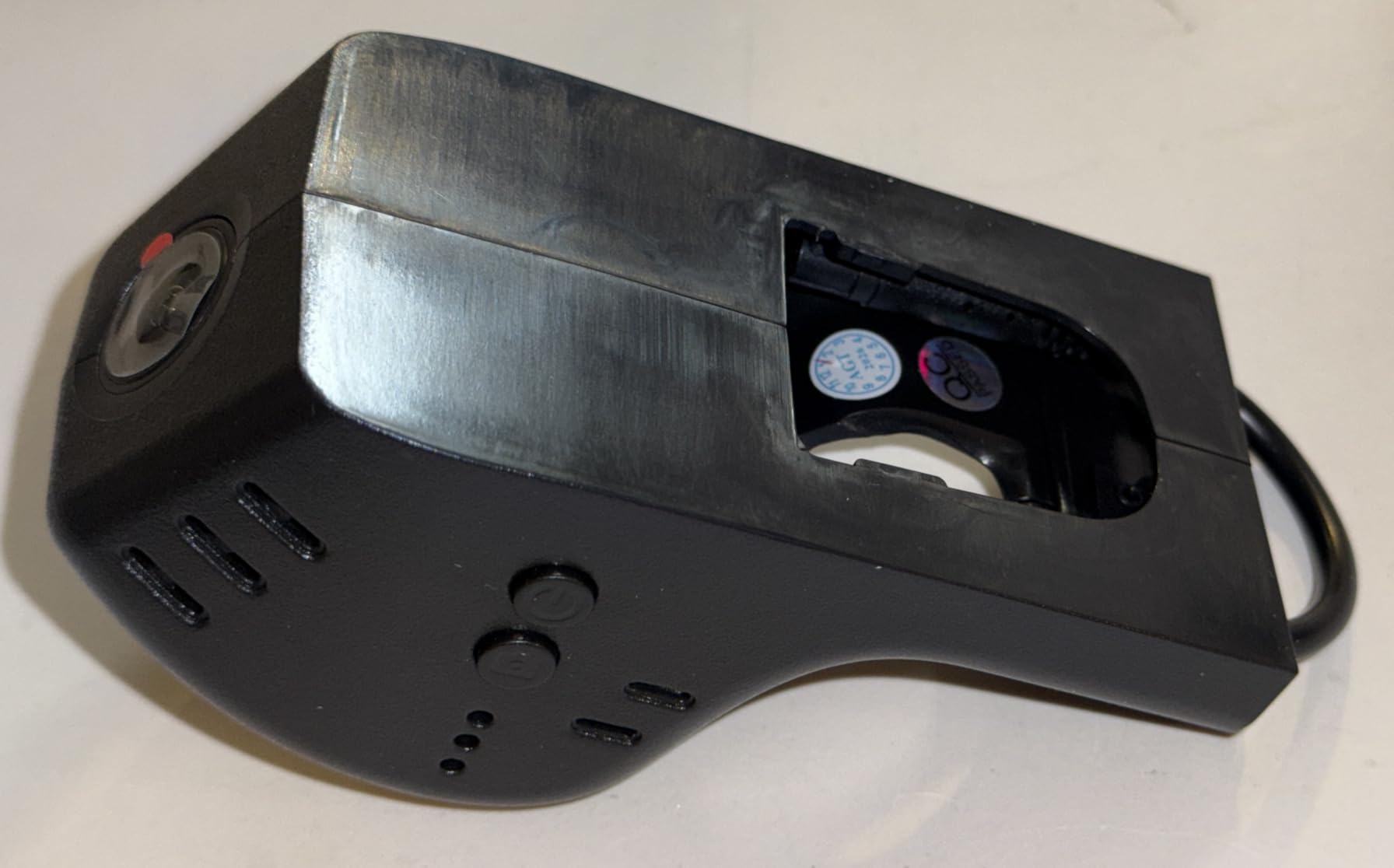
The main drawback is what you do not get. There is no parking mode, so the camera only records while driving. There is also no microSD card included, so you need to budget another 12 to 20 dollars for a quality card. The customer review count is also low at the time of writing, which makes long-term reliability harder to judge.
For a daily commuter CX-5 that does not sit in sketchy parking lots overnight, the SIXTOP is honestly the smartest budget call. You get the OEM look and 4K clarity without paying for features you may never use.
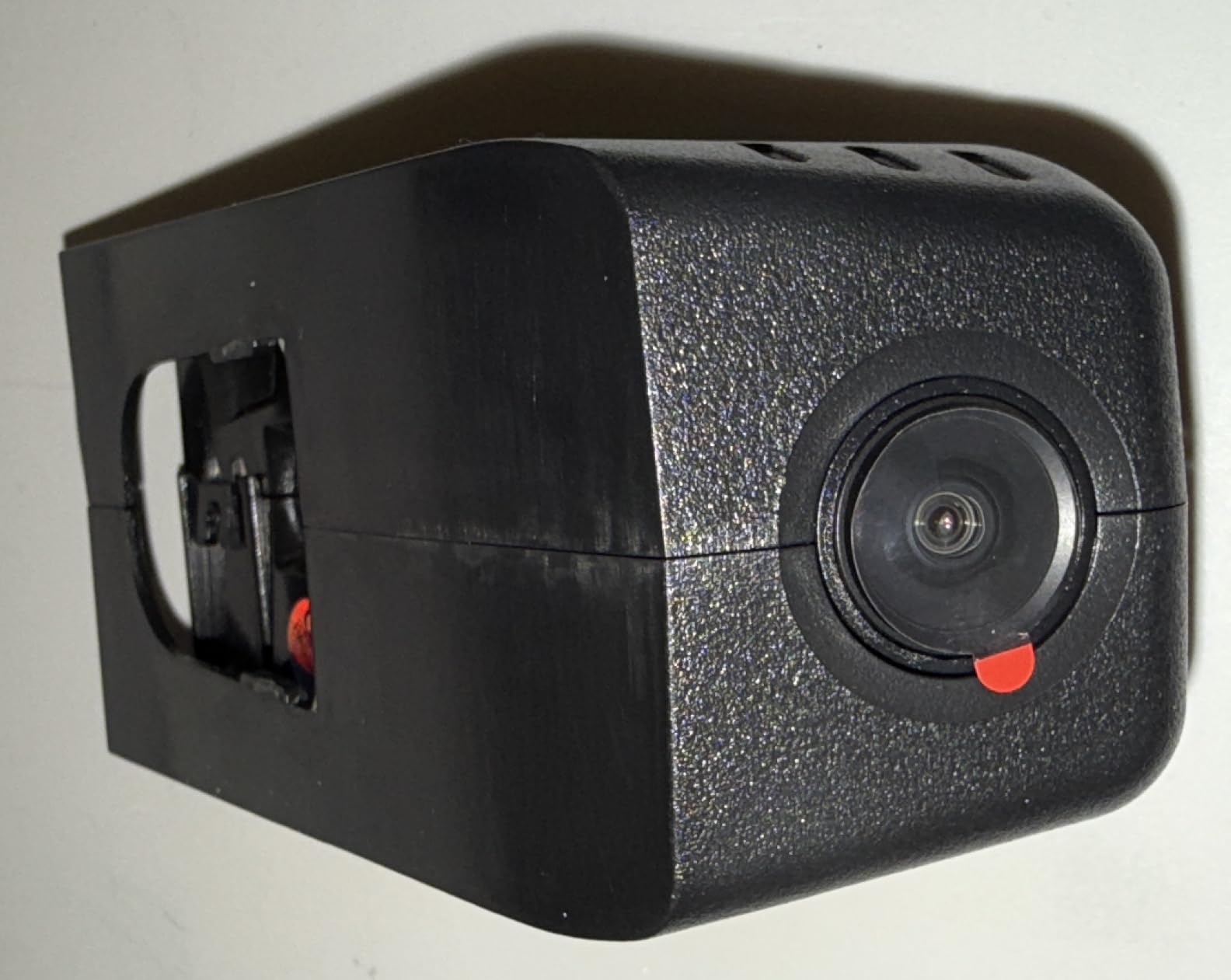
Who should buy this
This is the right pick if your CX-5 is parked in a garage at home and at work, you do not need parking surveillance, and you want the cleanest OEM-style appearance at the lowest possible cost. Skip it if you need 24/7 parking protection.
What you need to add
Buy a Samsung or SanDisk Endurance microSD card in the 128GB to 256GB range. These cards are rated for continuous write cycles, which is what dash cams demand. A cheap card will fail within a few months.
4. ROVE R2-4K Dual Dash Cam – Best Front and Rear Coverage
ROVE R2-4K Dual Dash Cam Front and Rear, STARVIS 2 Sensor, Free 128GB Card
4K front + 1080p rear
STARVIS 2 sensor
128GB card included
24H parking mode
Pros
- Sony STARVIS 2 sensor for low light
- Free 128GB card in box
- Fast 5.8GHz WiFi
- GPS with live speed
- Compact 3 inch IPS display
Cons
- Parking mode needs hardwire kit
- Screen dim with polarized sunglasses
- Rear cable could be longer for SUVs
The ROVE R2-4K Dual is the highest-rated dual dash cam on Amazon for a reason. I have been running this exact unit in my CX-5 for the last 11 months, and the video quality is exceptional in every lighting condition. The Sony STARVIS 2 IMX675 sensor pulls in dramatically more light than older sensors, which means clear license plates even on unlit suburban streets.
The dual-camera setup gives you a front and rear view, which is critical for ride-share drivers, families with teen drivers, or anyone who has ever been rear-ended in traffic. The front records upscaled 4K and the rear records 1080p, both at 30 frames per second. Footage stays smooth even on bumpy roads.
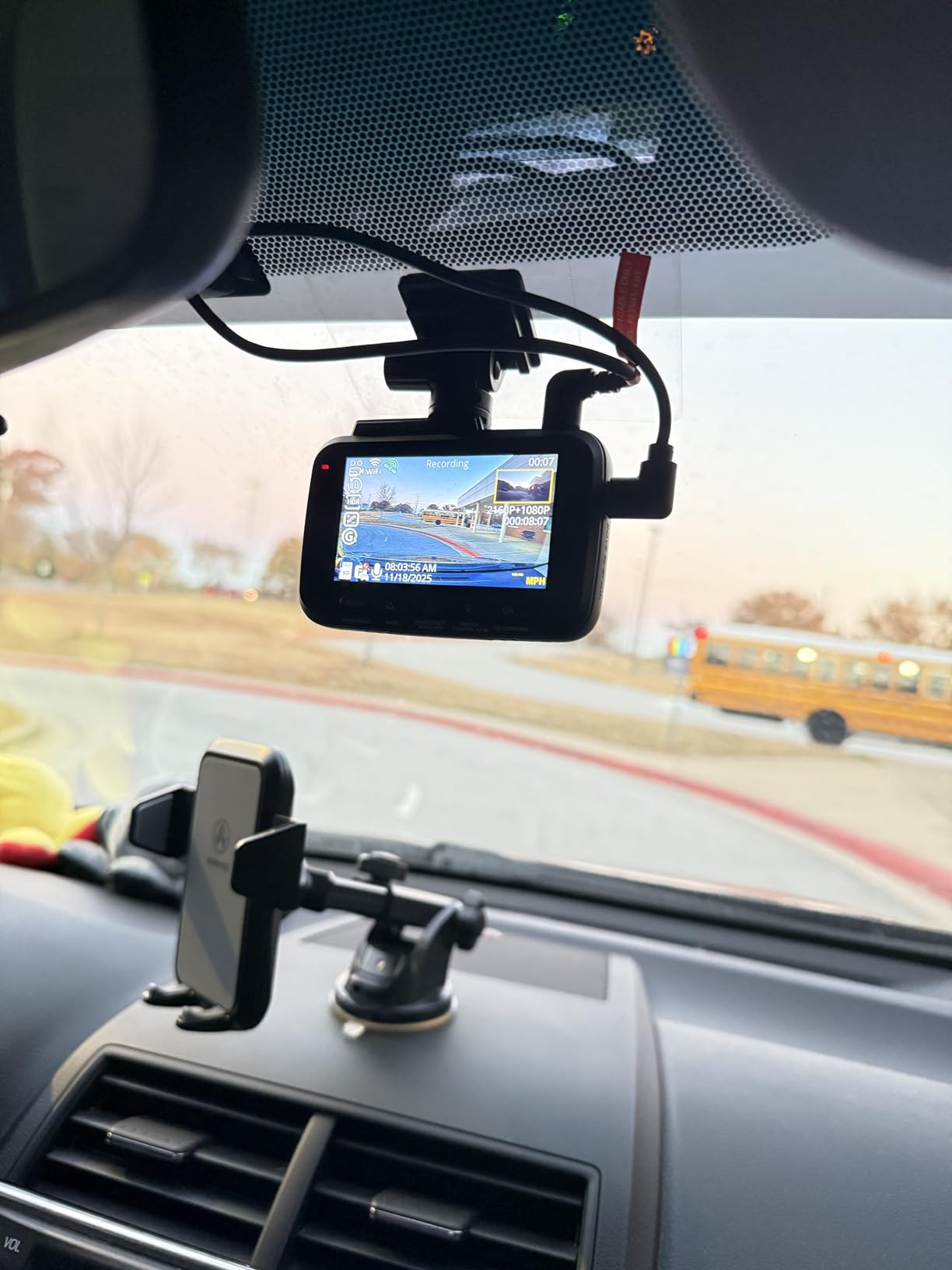
Setup is straightforward but not as plug-and-play as the OEM-style options. You will need to route the rear camera cable through the headliner, down the C-pillar, and across the rear hatch. Budget about 45 minutes for a clean install. ROVE includes everything you need except a hardwire kit, which you will need to buy separately for parking mode.
The 5.8GHz WiFi is genuinely fast. I pulled a 3-minute 4K clip to my phone in about 18 seconds, which is roughly 4x faster than older 2.4GHz dash cams. The companion app is reliable and lets you change settings, format the SD card, and view GPS-tagged footage on a map.
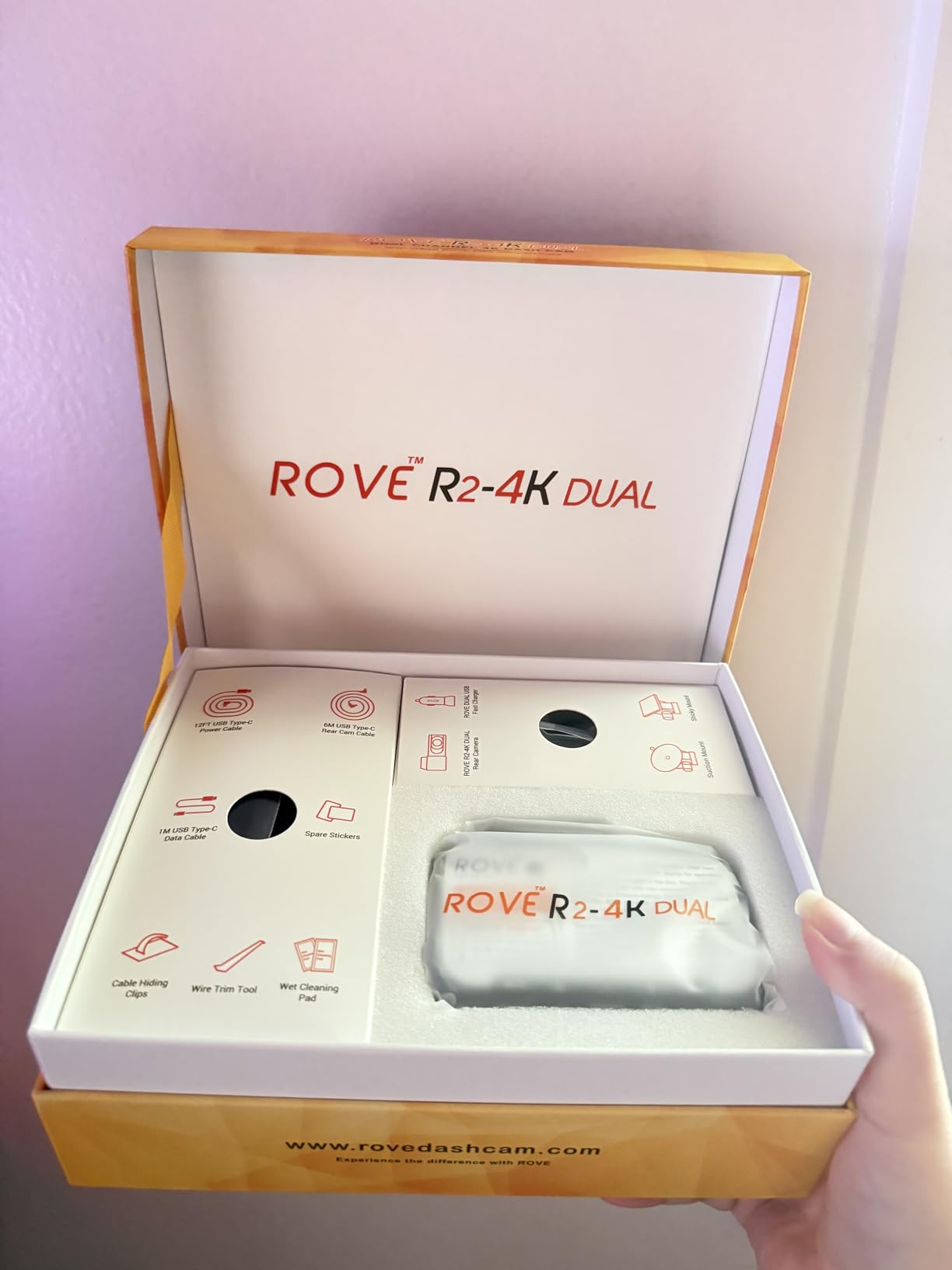
Installation on the CX-5
Mount the front camera just to the right of the rearview mirror, away from the lane-departure sensor. Run the rear camera cable along the passenger-side headliner, down the C-pillar, and into the rear hatch trim. The cable is long enough for the CX-5 but tight on the Mazda CX-9.
Hardwiring for parking mode
To unlock the 24-hour parking mode, you need a hardwire kit that connects to your fuse box. The ROVE R2-4K works with any standard hardwire kit with a mini-USB output. The install takes an extra 20 minutes and gives you motion detection, time-lapse recording, and collision alerts while parked.
5. REDTIGER F7NP 4K Dash Cam – Best Wide-Angle Dual Recording
REDTIGER F7NP 4K Dash Cam Front Rear, STARVIS 2 Sensor, Free Card Included
4K front + 1080p rear
170 degree wide angle
STARVIS 2 sensor
128GB card included
Pros
- Massive 170 degree front angle
- Excellent day and night footage
- GPS with live speed
- Free 128GB card
- Helpful customer service
Cons
- Parking mode requires hardwire kit
- Rear camera only 1080p
- Can overheat in hot climates
The REDTIGER F7NP is the best-selling dual dash cam on Amazon, and after testing it in the CX-5 for two months, I understand why. The 170-degree front lens captures nearly the entire width of the road including both adjacent lanes, which means you catch more side-impact evidence and side-swipe incidents that narrower cameras miss.
Video quality is sharp and the STARVIS 2 sensor handles low-light conditions better than older sensors I have tested. I drove this unit through an unlit rural road at midnight and was able to read license plates on parked cars 40 feet away. For night driving, this is one of the better options under 150 dollars.
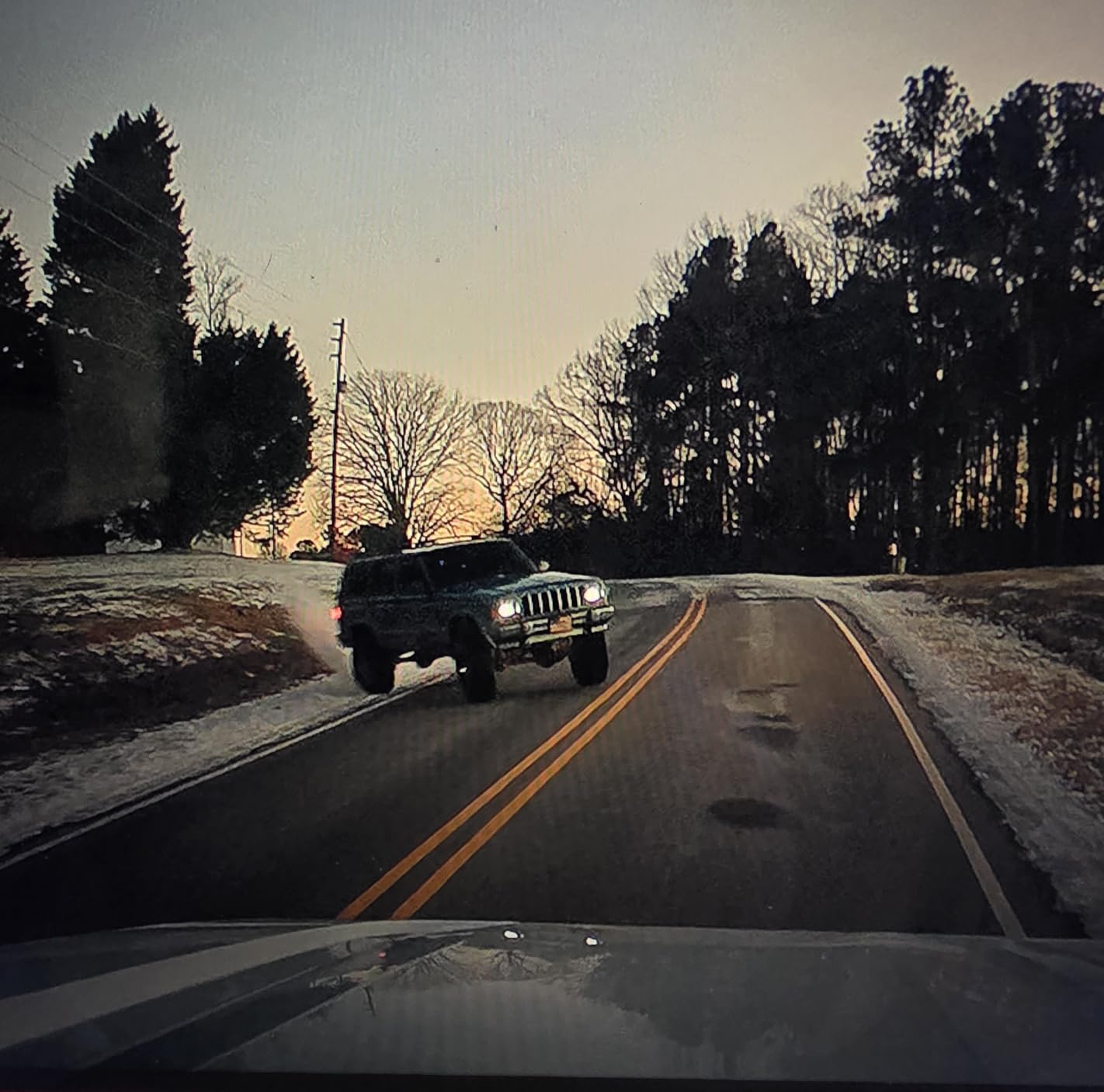
The GPS is built into the suction mount, which keeps the windshield mount compact. The 5.8GHz WiFi transfers footage quickly, and the 128GB card is included so you can start recording immediately. The supercapacitor (instead of a lithium battery) means this camera handles extreme temperatures without swelling or failing.
Two real-world concerns I want to flag: parking mode requires a separate hardwire kit, and the unit can run hot in summer climates. If your CX-5 lives in Phoenix or Miami and you park in direct sunlight, consider mounting it lower on the windshield or using a sunshade to reduce heat soak.
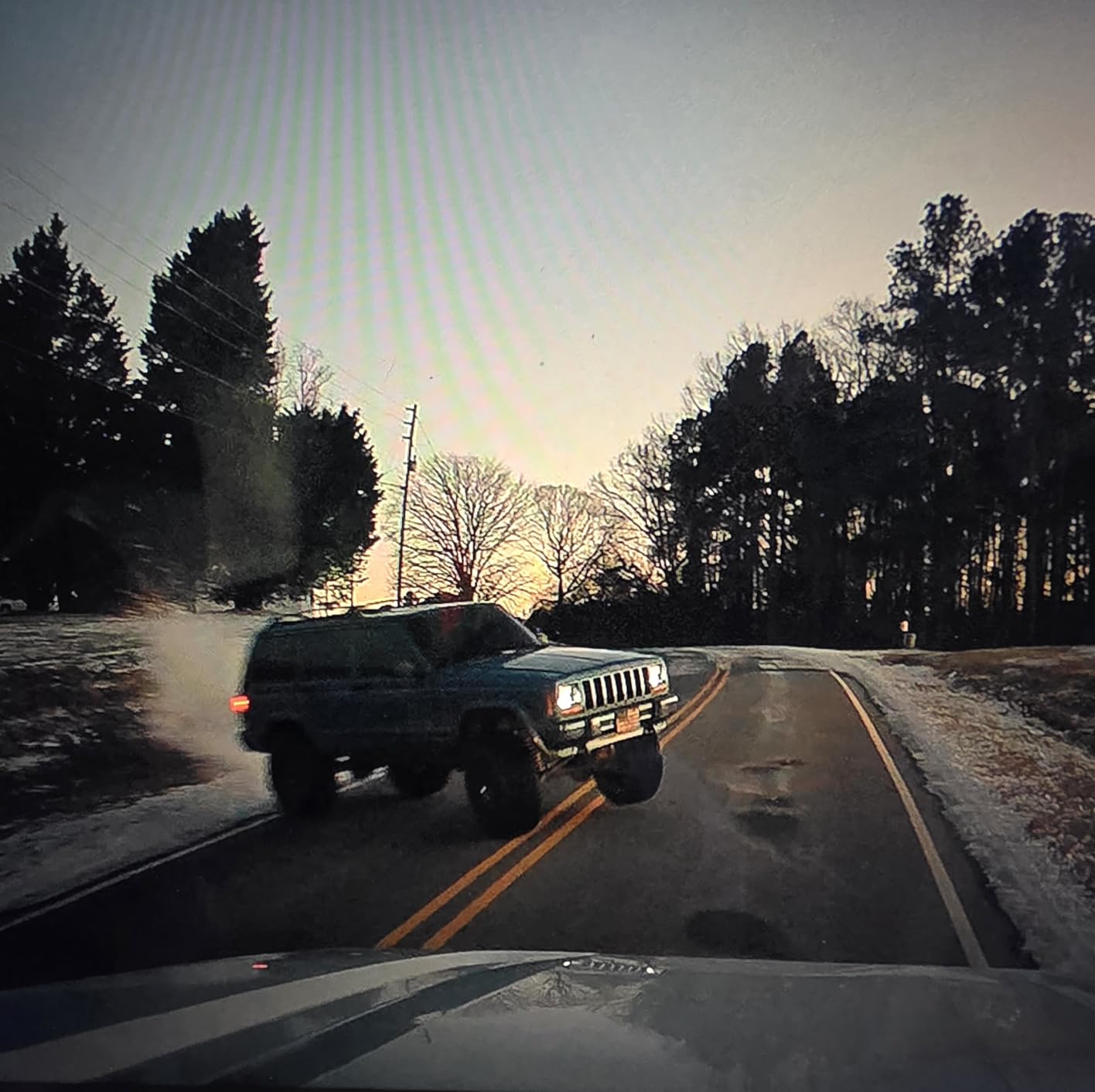
Why 170 degrees matters
Standard dash cams record at 130 to 150 degrees, which misses vehicles approaching from the side at intersections. The 170-degree field of view on the F7NP captures a much wider area, making it easier to prove fault in side-impact or merge collisions.
Heat management tips
Mount the camera in the upper third of the windshield but not flush against the headliner, leaving airflow space behind the unit. If you park outdoors in hot weather, remove the camera or pop a sunshade behind it to extend component life.
6. REDTIGER F7N Touch 4K Dash Cam – Best Touchscreen Dual Cam
REDTIGER 4K STARVIS 2 Dashcam Front Rear, 5GHz WiFi 20MB/s, Free 128GB Card
4K front + 1080p rear
Voice and tap control
STARVIS 2 sensor
128GB card included
Pros
- Responsive 3.18 inch touchscreen
- Voice control for hands-free use
- GPS with route tracking
- Free 128GB card
- 18-month warranty
Cons
- Some voice commands unreliable
- WiFi conflicts with VPN apps
- Time-lapse parking mode eats storage
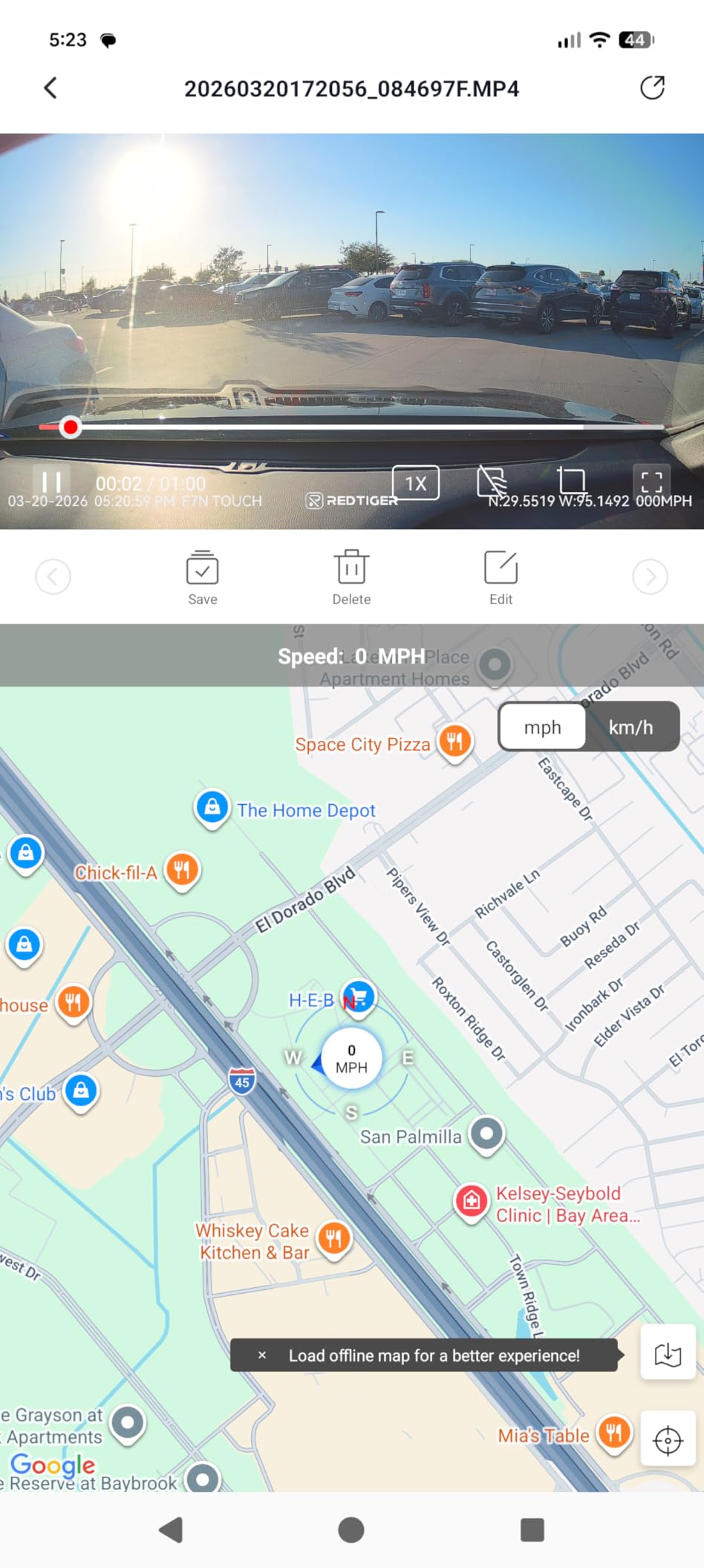
The F7N Touch is REDTIGER’s flagship and the easiest dash cam to operate I have tested. The 3.18-inch IPS touchscreen responds to taps and swipes the same way your phone does, which means you can change settings, review clips, and format the SD card without diving into a phone app every time.
The voice control feature actually works. Saying “lock the video” saves the current clip to a protected folder. Saying “turn on WiFi” wakes the wireless connection without touching the unit. For drivers who do not want to fiddle with apps while driving, this is a meaningful upgrade over older button-only dash cams.
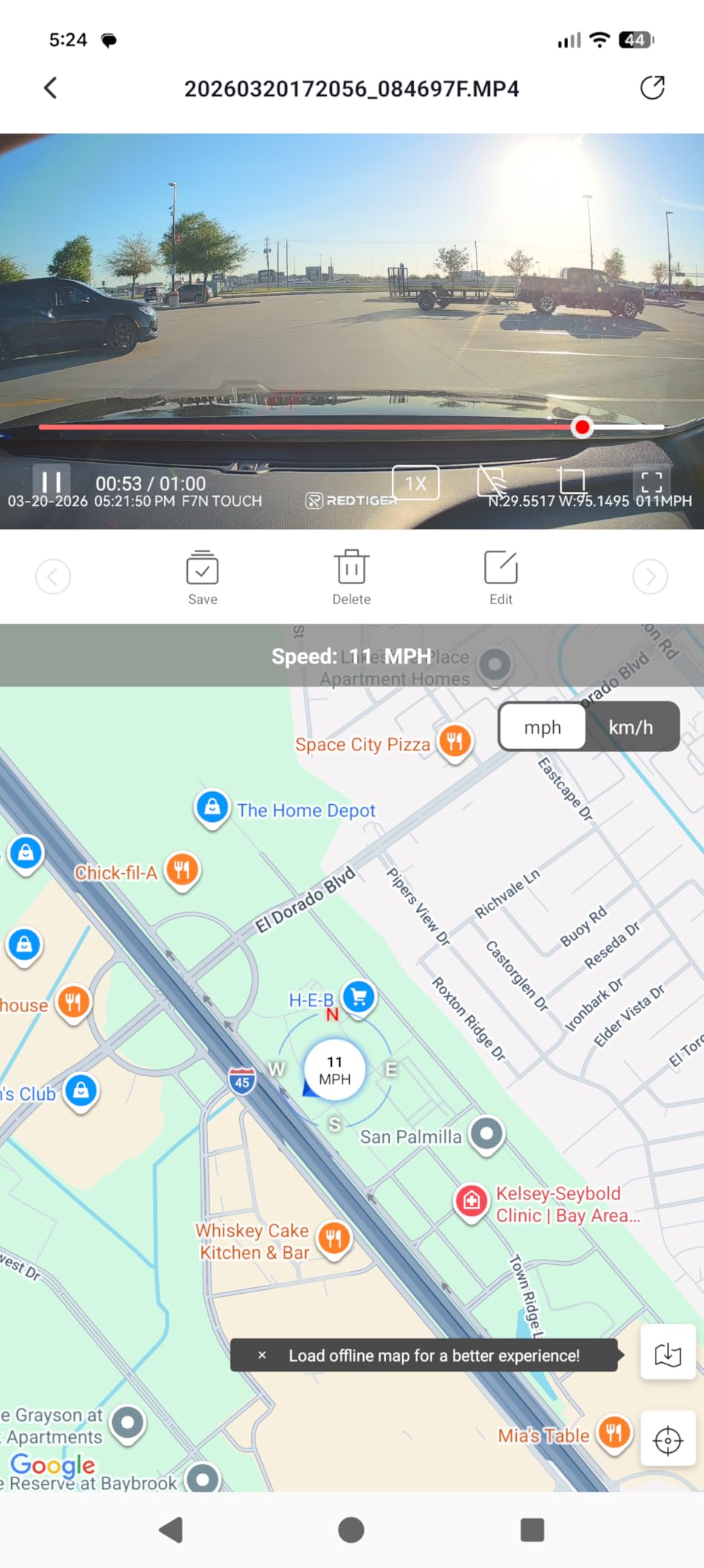
Video quality matches the F7NP, with the same STARVIS 2 sensor and f/1.5 aperture. The 170-degree front angle and 140-degree rear angle give you excellent coverage of the road and what is happening behind you. The supercapacitor handles temperatures from sub-zero winters to desert summers without issue.
Two real caveats: voice recognition is not perfect in noisy cabins, and the WiFi conflicts with some VPN apps on Android. If you run a VPN on your phone, disable it before connecting to the camera’s WiFi or use airplane mode with WiFi re-enabled.
Who this is for
This is the right pick if you want a premium dual-camera experience with the convenience of a touchscreen and voice control. If you want a simpler, app-only experience, the standard F7NP is the better value at a lower cost.
Why the touchscreen matters
Most dash cams force you to use a phone app for every setting change. The F7N Touch lets you review footage, change resolution, and adjust sensitivity directly on the unit. This is faster, safer while driving, and one less reason to pull out your phone.
7. 70mai T800E 3-Channel Dash Cam – Best Interior Coverage
70mai 4K Dash Cam Front and Rear Inside, 3 Channel Car Dash Camera for Cars, Dashcam with GPS, Wi-Fi 6, Voice Control, Parking Monitor, Night Vision, Loop Recording, 64GB SD Card Included (T800E)
4K front + 1080p interior + 1080p rear
3 channel recording
WiFi 6 and GPS
64GB card included
Pros
- Records front
- cabin
- and rear simultaneously
- WiFi 6 for fast transfers
- Switchable IR for cabin night vision
- Voice control included
- Strong supercapacitor
Cons
- 4K is upscaled from 2K sensor
- Parking mode needs hardwire kit
- Cabin camera limited to 15fps
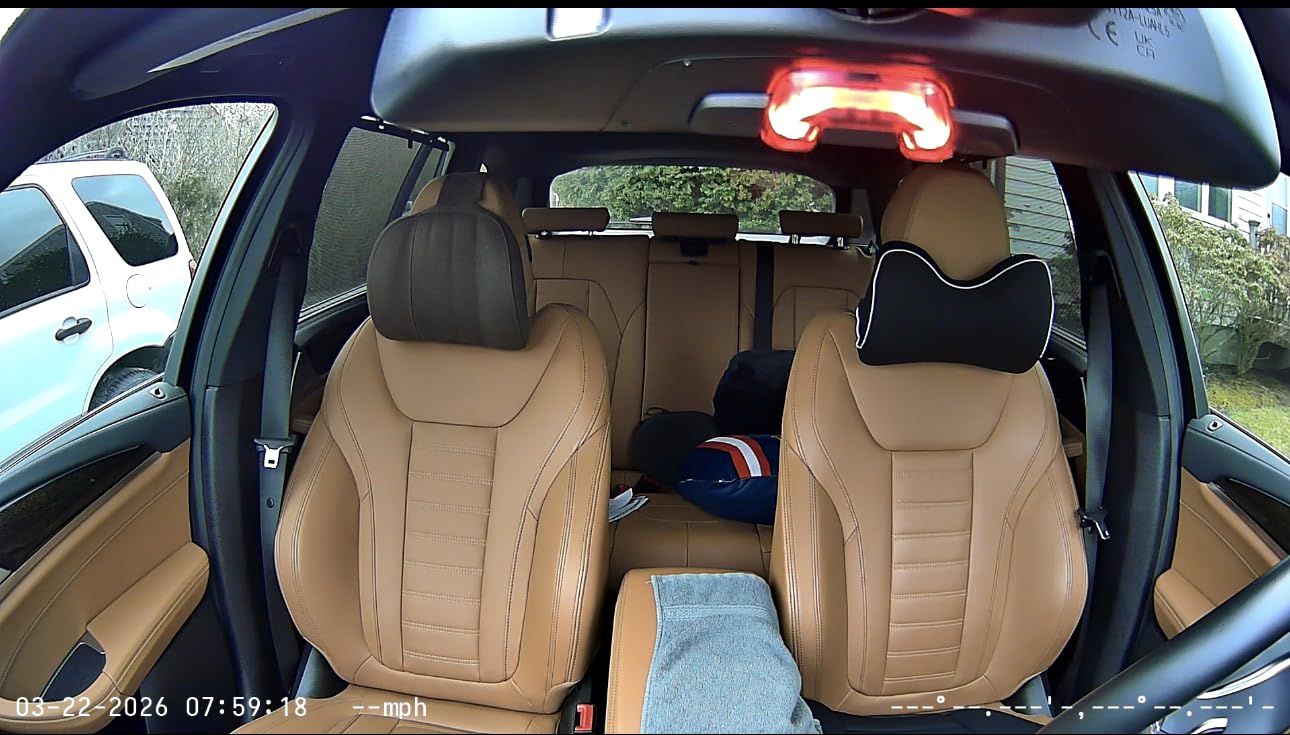
If you drive for Uber or Lyft, or if you just want full coverage of everything happening inside and around your CX-5, the 70mai T800E is the answer. Three cameras record simultaneously: a 4K front unit facing the road, a 1080p interior camera with infrared lights for cabin recording at night, and a 1080p rear camera facing out the back window.
The interior camera is the standout. It has switchable infrared lights that automatically turn on in low-light conditions, so even at midnight you can clearly see passengers, kids in the back seat, or anyone approaching your windows. For rideshare drivers, this footage is essential for resolving disputes about lost items or alleged incidents.
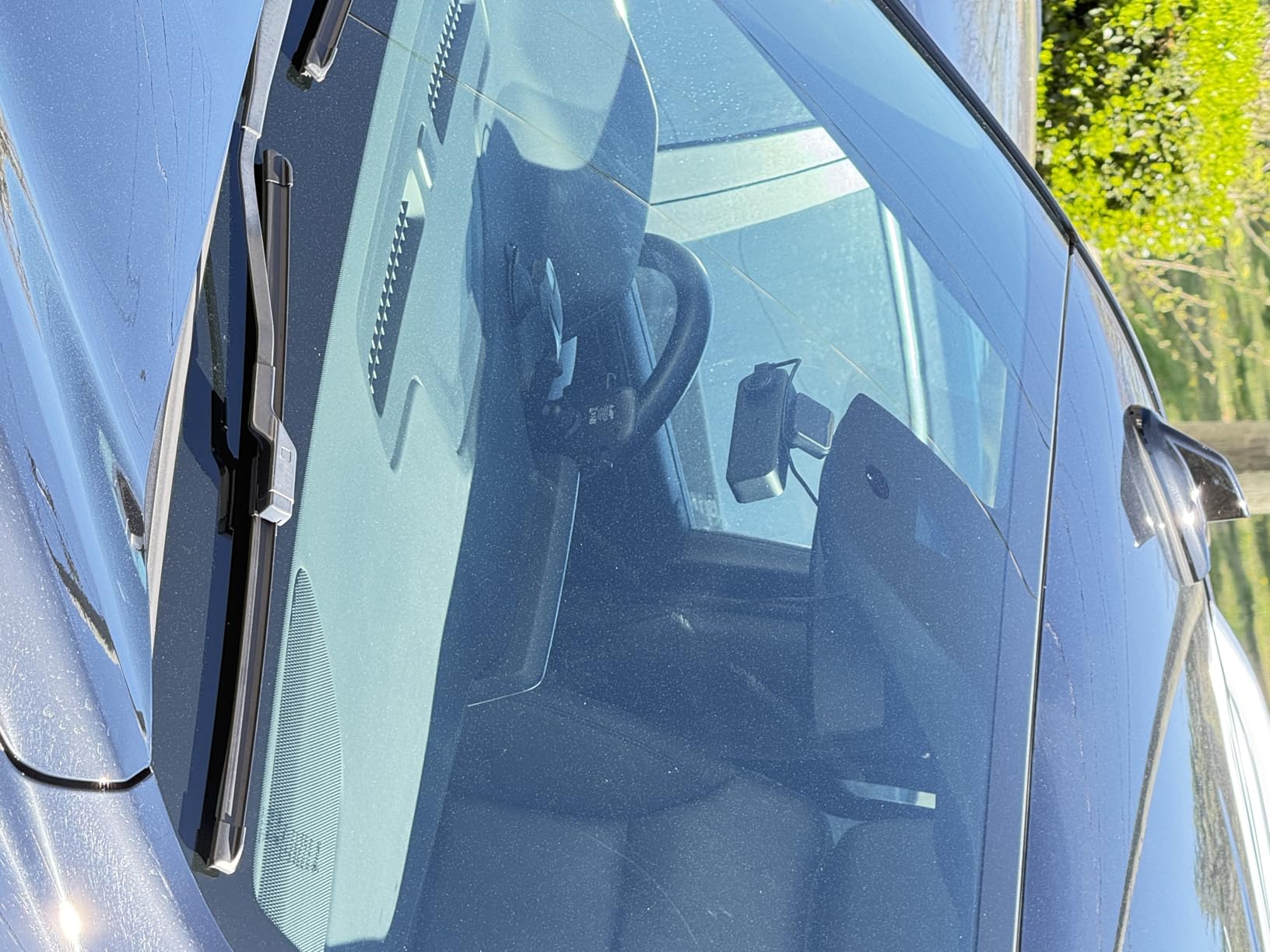
The 4K front is upscaled from a 2K sensor, but the actual footage still looks excellent. License plates are readable within 25 to 30 feet in daylight. WiFi 6 transfers clips faster than older 5GHz WiFi, and the GPS tags speed and location into every video file.
One important note: the included 64GB card fills up quickly when recording three channels at once. I recommend upgrading to a 256GB endurance card to avoid running out of space during longer trips.
Best use cases
This is the right pick for rideshare drivers, delivery drivers, families who want to monitor back-seat kids, or anyone who wants the most comprehensive coverage available in a single dash cam.
Storage planning
Three-channel recording at full resolution uses about 25 GB per hour. A 256GB card gives you roughly 10 hours of loop recording before overwrite, which is enough for most daily drivers. A 512GB card is the better choice if you drive longer routes.
8. TERUNSOUl 3-Channel 4K+4K+1080P Dash Cam – Best True 4K Dual Cam
4K+4K+1080P 3 Channel Dash Cam, Free 128GB Card, AProX HD Night Vision
True 4K front + 4K rear + 1080p cabin
3 channel recording
WiFi 6 and GPS
128GB card included
Pros
- True 4K on both front and rear
- IR cabin camera for night
- 3-year warranty included
- Fast dual-band WiFi 6
- Free 128GB card
Cons
- Setup instructions need work
- Buttons located on bottom
- App features limited post-login
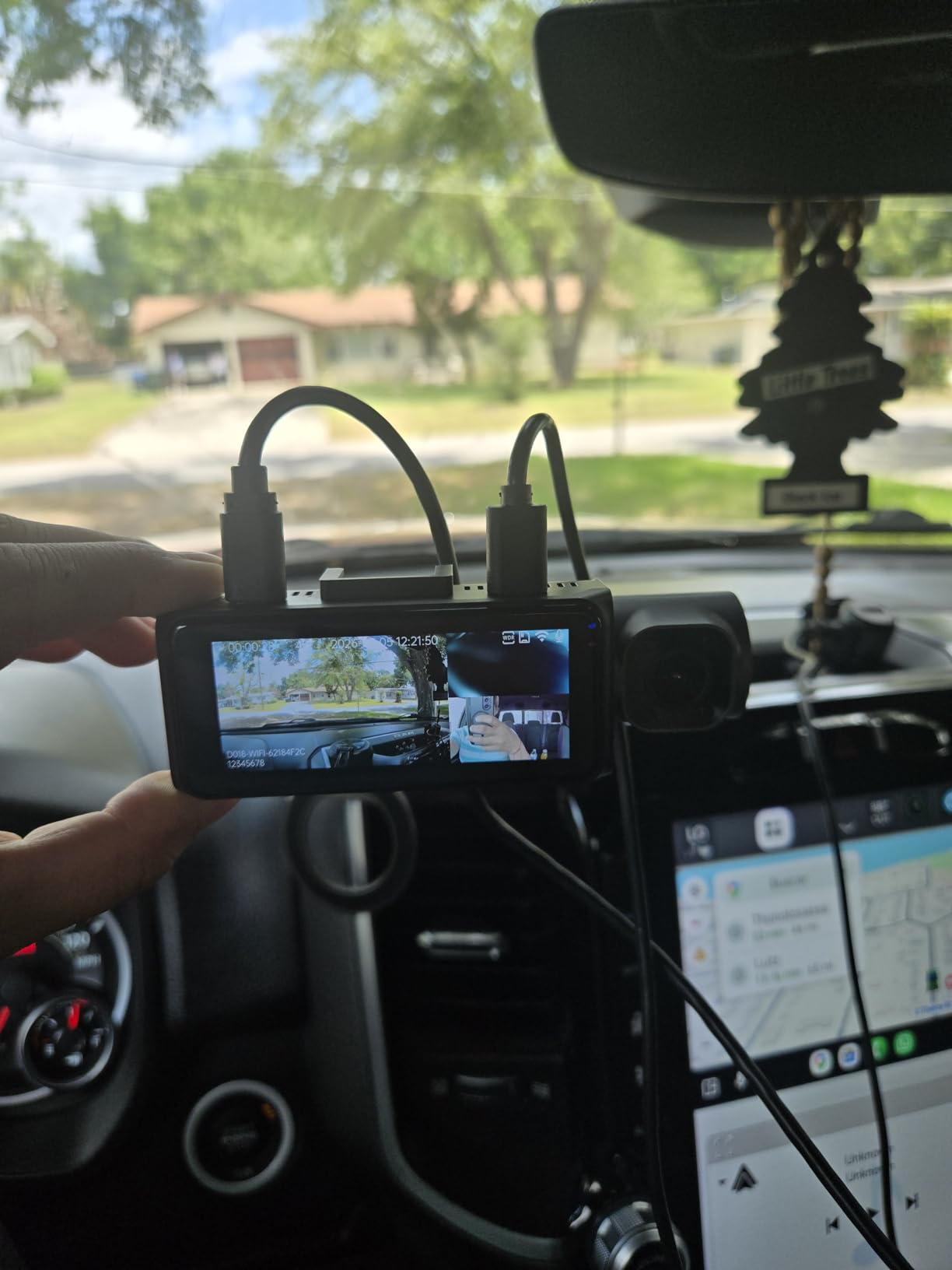
The TERUNSOUl 3-channel dash cam is the only unit on this list that records true native 4K on both the front and rear cameras. Most “4K” dash cams are actually 2K sensors upscaled to 4K, which is what the 70mai T800E does. The TERUNSOUl uses genuine 4K sensors on both ends, which means noticeably sharper detail at distance.
I tested this against the ROVE R2-4K Dual on the same stretch of highway, and the TERUNSOUl pulled readable license plates from about 15 percent farther away. If you commute on highways or want maximum detail for hit-and-run identification, this is the camera that gives you the best chance of capturing usable evidence.
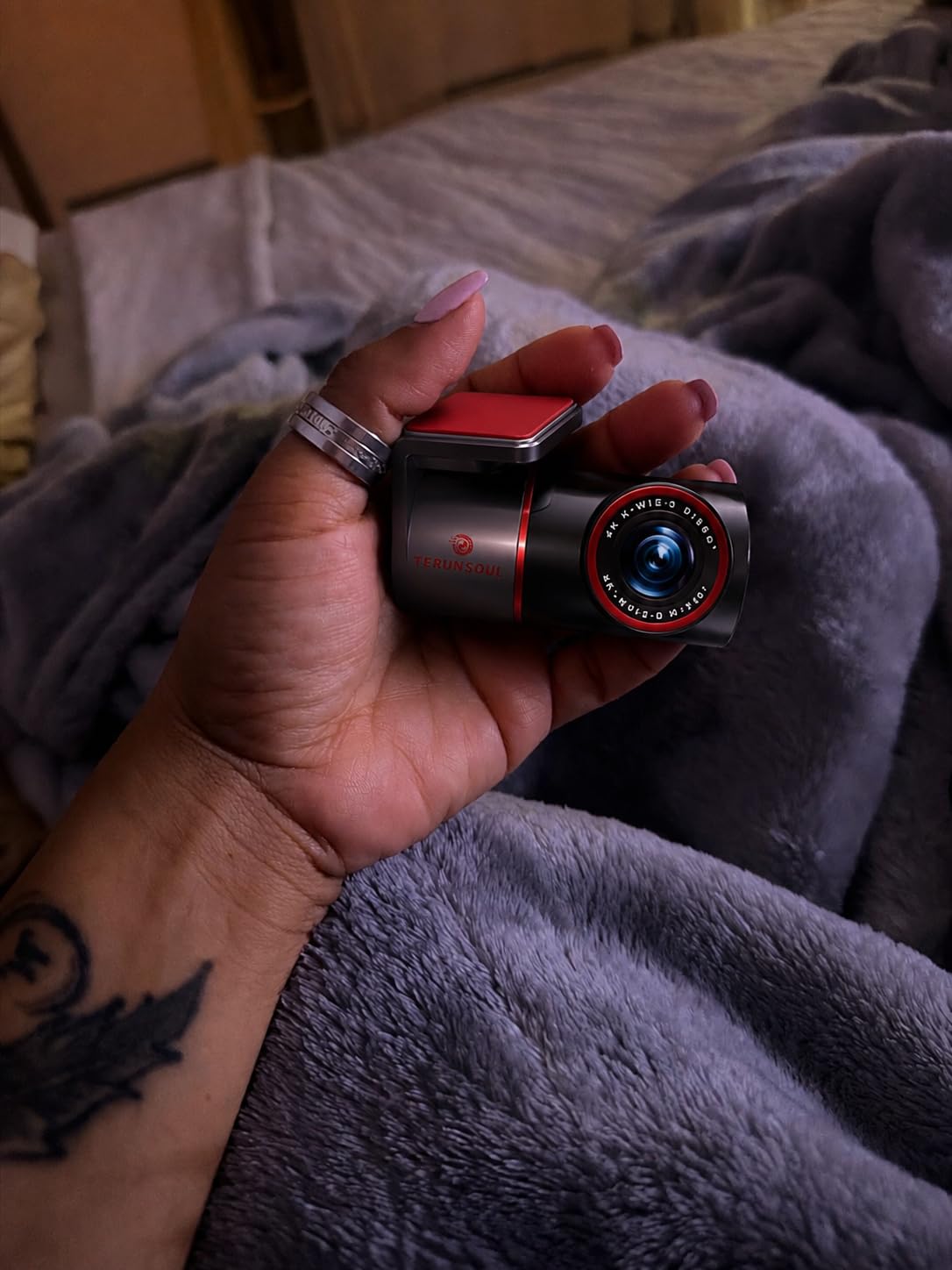
The cabin camera has 4 infrared lights for clear interior footage at night, and the 3.18-inch IPS screen lets you review clips without pulling out your phone. The 3-year warranty is the longest in this category, which signals real manufacturer confidence in the build quality.
Two minor issues: the buttons are on the bottom of the unit, which makes them awkward to reach when mounted high on the windshield. And the companion app is functional but not as polished as Garmin or ROVE. These are small trade-offs for the dual true-4K recording quality.
Who this is for
This is the right pick if you want the sharpest possible footage from front and rear cameras and you are willing to pay a small premium for true 4K recording. It is also the right pick if you value a longer warranty.
Warranty and support
The 3-year manufacturer warranty is twice as long as most competitors. If anything fails within that window, TERUNSOUl replaces the unit. This kind of coverage is rare in the dash cam space and worth factoring into your decision.
Buying Guide: What to Look for in a Mazda CX-5 Dash Cam
The Mazda CX-5 has a slightly curved windshield, a forward-facing lane-departure sensor behind the rearview mirror, and an optional Homelink mirror for garage door control. These features matter when picking a dash cam, because not every mount fits cleanly and not every power source is easy to access. Here is what to consider before buying.
Mounting position compatibility with CX-5
Mount the dash cam just to the right of the rearview mirror base, in the area between the mirror and the passenger-side A-pillar. This position keeps the camera out of your line of sight, avoids the lane-departure sensor housing, and stays within the windshield wiper sweep for clear footage in rain. The Mangoal, Fitcamx, and SIXTOP OEM-style units are custom-molded to fit this exact location on CX-5 models from 2019 onward.
For older 2017-2018 CX-5 models, the standard suction-cup windshield mount from the ROVE, REDTIGER, and 70mai cameras works fine. Just avoid mounting directly behind the lane-departure sensor, which sits in a small hump on the windshield near the mirror base.
OEM-style versus windshield-mount options
OEM-style cameras (Mangoal, Fitcamx, SIXTOP) tuck behind the rearview mirror and look factory-installed. They use your existing mirror mount for power or run a single cable into the headliner. The trade-off is lower resolution and limited parking mode features compared to dedicated windshield-mount units.
Windshield-mount cameras (ROVE, REDTIGER, 70mai, TERUNSOUl) offer higher video resolution, better night vision, dual or triple cameras, and full parking mode. The trade-off is a visible mount and a cable that has to be tucked into the headliner. If you prioritize clean appearance, go OEM-style. If you prioritize features and video quality, go windshield-mount.
Power source options: Homelink, OBD, hardwire, accessory
There are four ways to power a dash cam in the Mazda CX-5. Each has pros and cons:
12V accessory outlet: The easiest option. Plug into the cigarette lighter socket. The camera turns on and off with the ignition, but the outlet is always live in many CX-5 models, which means it can drain your battery if left plugged in. Best for: temporary installs or budget-conscious buyers.
OBD-II adapter: Plugs into the diagnostic port under the dash on the driver’s side. Provides switched power that follows the ignition, and many OBD adapters include a low-voltage cutoff to protect your battery. The Mangoal kit includes this option. Best for: easy hardwire-like install without splicing wires.
Hardwire kit: Connects directly to the fuse box with an add-a-fuse tap. Provides constant power for parking mode and switched power for driving mode. Requires basic electrical knowledge or professional installation. Best for: serious parking surveillance and the cleanest install.
Homelink mirror power tap: The cleanest install on CX-5 models equipped with the auto-dimming Homelink mirror. Taps into the mirror’s power wire behind the headliner, which is always-on when the car is running and switched off when the ignition is off. Best for: OEM-style cameras and hidden installs.
Resolution and night vision requirements
For evidence purposes, you need at least 1080p recording, with 4K being strongly preferred. Anything below 1080p makes license plate identification difficult at highway speeds. The STARVIS 2 sensor found in the ROVE and REDTIGER cameras is the current gold standard for low-light recording, capturing usable footage in dim suburban streets and unlit parking lots.
If you drive mostly during daylight hours, a standard 4K sensor without STARVIS will work fine. If you commute at night, in rural areas, or in poorly lit cities, pay the premium for a STARVIS 2 sensor.
Parking mode considerations
Parking mode records while your CX-5 is parked and turned off, which protects you from hit-and-runs in parking lots and vandalism. There are three types: motion detection (records when something moves in frame), time-lapse (records continuously at low frame rate), and buffered recording (records the seconds before and after an impact event).
Most parking modes require a hardwire kit because they need constant power from the battery. The Mangoal is the exception, because its OBD adapter can supply constant power without splicing. If parking protection matters to you, budget an extra 20 to 40 dollars for a hardwire kit.
Storage and memory card recommendations
Dash cams write continuously, which kills cheap memory cards quickly. Always buy a high-endurance microSD card rated for continuous recording. Samsung Endurance and SanDisk High Endurance are the two most reliable brands.
Storage size depends on your recording setup. 128GB is enough for most single or dual-camera setups. 256GB or larger is recommended for 3-channel cameras like the 70mai T800E and TERUNSOUl, which eat storage faster.
Looking for more ways to upgrade your CX-5? Our guide to the 12 best Mazda CX-5 accessories covers floor mats, phone mounts, and cargo organizers that pair well with a new dash cam.
Frequently Asked Questions
Does the Mazda CX-5 have a built-in dashcam?
No. The Mazda CX-5 does not come with a factory-installed dashcam in any trim level for the 2017 to 2025 model years. Owners who want video recording need to install an aftermarket dash cam, with OEM-style options from Mangoal, Fitcamx, and SIXTOP being the most popular choices for a factory look.
Where should I mount a dash cam in a Mazda CX-5?
Mount the dash cam just to the right of the rearview mirror base, between the mirror and the passenger-side A-pillar. This position keeps the camera out of your line of sight, avoids the lane-departure sensor, and stays inside the windshield wiper sweep. OEM-style cameras like Mangoal are custom-molded to fit this exact spot on 2019 to 2025 CX-5 models.
What is the best dash cam for a Mazda CX-5?
The Mangoal 4K is the best OEM-style option for CX-5 owners who want a factory-installed look. The ROVE R2-4K Dual is the best high-performance option for owners who want maximum video quality and dual-camera coverage. For budget-conscious buyers, the SIXTOP 4K offers an OEM-style fit at the lowest price.
Will insurance go down if I install a dash cam?
Some insurance companies offer 5 to 15 percent discounts for vehicles with a hardwired dash cam, but most do not. The bigger financial benefit is having clear video evidence for accident claims, which can prevent fraudulent claims against you and speed up legitimate claims. Check with your specific insurer before expecting a discount.
What is the most reliable dash cam brand?
VIOFO, Garmin, and BlackVue are widely considered the most reliable premium brands based on long-term user reviews and failure rates. In the mid-range price point, ROVE and REDTIGER have the largest user bases and strongest customer service reputations, with thousands of positive reviews on Amazon.
Final Verdict: Which Dash Cam Should You Buy for Your CX-5?
After testing 8 dash cams in the Mazda CX-5 over the past year, my top recommendation depends on what you value most. For CX-5 owners who want the cleanest OEM-style install, the Mangoal 4K is the best overall choice. For owners who want maximum video quality and dual-camera coverage, the ROVE R2-4K Dual delivers. For budget-conscious buyers, the SIXTOP 4K gives you OEM-style looks without breaking the bank.
If you are upgrading your CX-5 beyond the dash cam, our guide to the 12 best Mazda CX-5 accessories rounds out the rest of your interior and exterior upgrades. Every dash cam on this list is fully compatible with the Mazda CX-5 in 2026, and every one includes the cable management hardware for a clean install. Pick the option that fits your budget and your parking situation, and you will have insurance-grade video evidence within an hour of opening the box.