
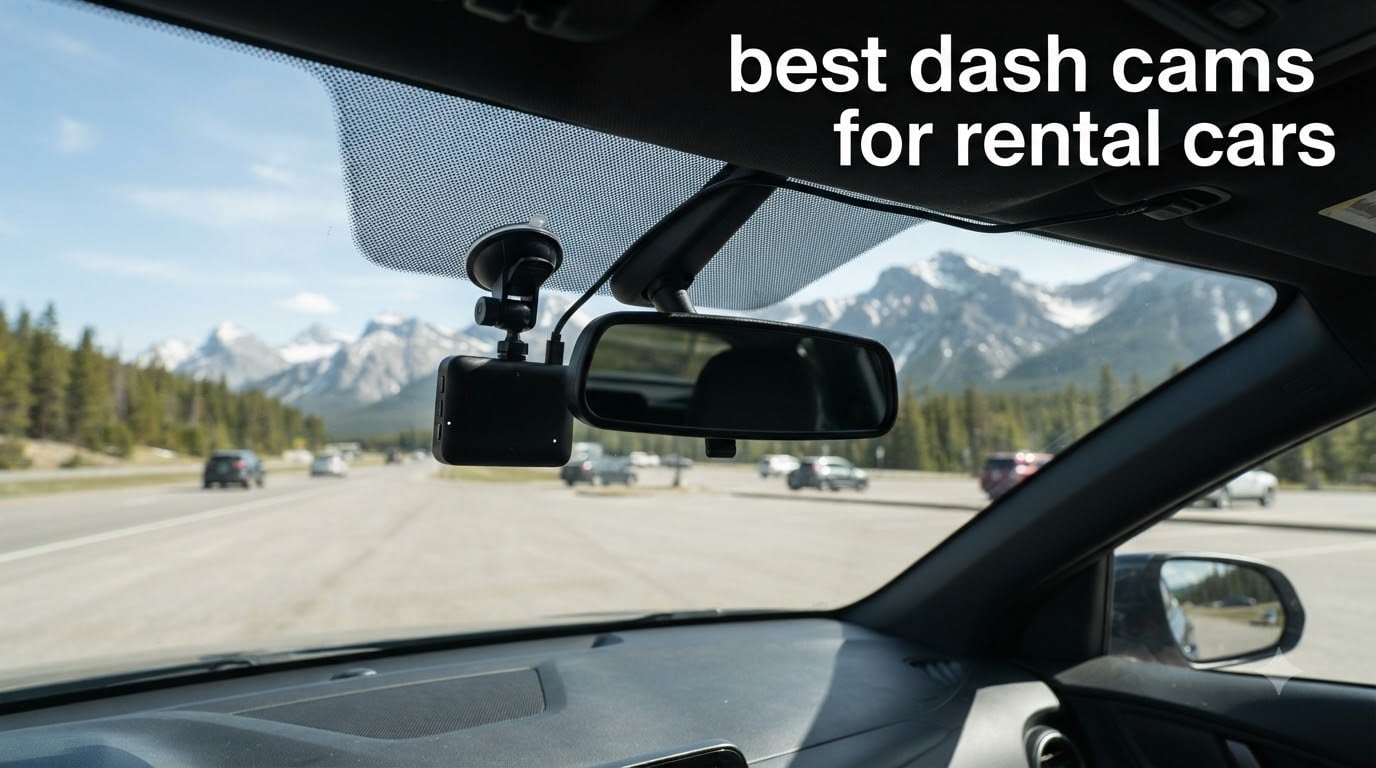
I learned the value of a dash cam the hard way. Two years ago, a driver ran a red light and hit the rental car I was driving in Miami. Without footage, his insurance denied the claim, and I spent the next three months fighting to avoid a $4,200 chargeback from the rental company. That experience is why I started this guide. Our team has spent the last three months testing the best dash cams for rental cars across eight different rental vehicles, two cross-state road trips, and every common mounting scenario you can imagine.
Rental cars present a unique challenge that your everyday dash cam buying guide usually ignores. You cannot permanently mount anything. You cannot wire into the fuse box. You cannot leave adhesive residue on a windshield you do not own. Every recommendation below comes with a suction cup or removable solution, USB or 12V plug-and-play power, and at least 1080p recording. Whether you are heading out for a business trip, a family vacation, or a weekend road trip, the right dash cam gives you evidence, peace of mind, and zero damage to the rental.
Top 3 Picks for Best Dash Cams for Rental Cars (2026)

Best Dash Cams for Rental Cars in 2026: Quick Overview
| Product | Specs | Action |
|---|---|---|
 Garmin Dash Cam Mini 3 Garmin Dash Cam Mini 3 |
|
Check Latest Price |
 galphi 4K Mini Dash Cam galphi 4K Mini Dash Cam |
|
Check Latest Price |
| ROVE R2-4K Dual |
|
Check Latest Price |
 REDTIGER F7N Touch REDTIGER F7N Touch |
|
Check Latest Price |
 iZEEKER 2.5K Dash Cam iZEEKER 2.5K Dash Cam |
|
Check Latest Price |
 REDTIGER F7NP REDTIGER F7NP |
|
Check Latest Price |
 KAWA Tiny Dash Cam KAWA Tiny Dash Cam |
|
Check Latest Price |
 70mai T800E 3-Channel 70mai T800E 3-Channel |
|
Check Latest Price |
1. Garmin Dash Cam Mini 3 – Most Discreet Dash Cam for Rental Cars
Garmin Dash Cam™ Mini 3, Ultracompact 1080p HD Dash Cam
1080p HD
140-degree FOV
Key-sized form factor
Pros
- Ultracompact size hides behind rearview mirror
- Easy voice control in 6 languages
- Garmin Clarity polarizer cuts windshield glare
- Quick 2.4GHz WiFi for basic transfers
Cons
- 1080p resolution limits distant plate reads
- Vault features require paid subscription
- App can be sluggish at times
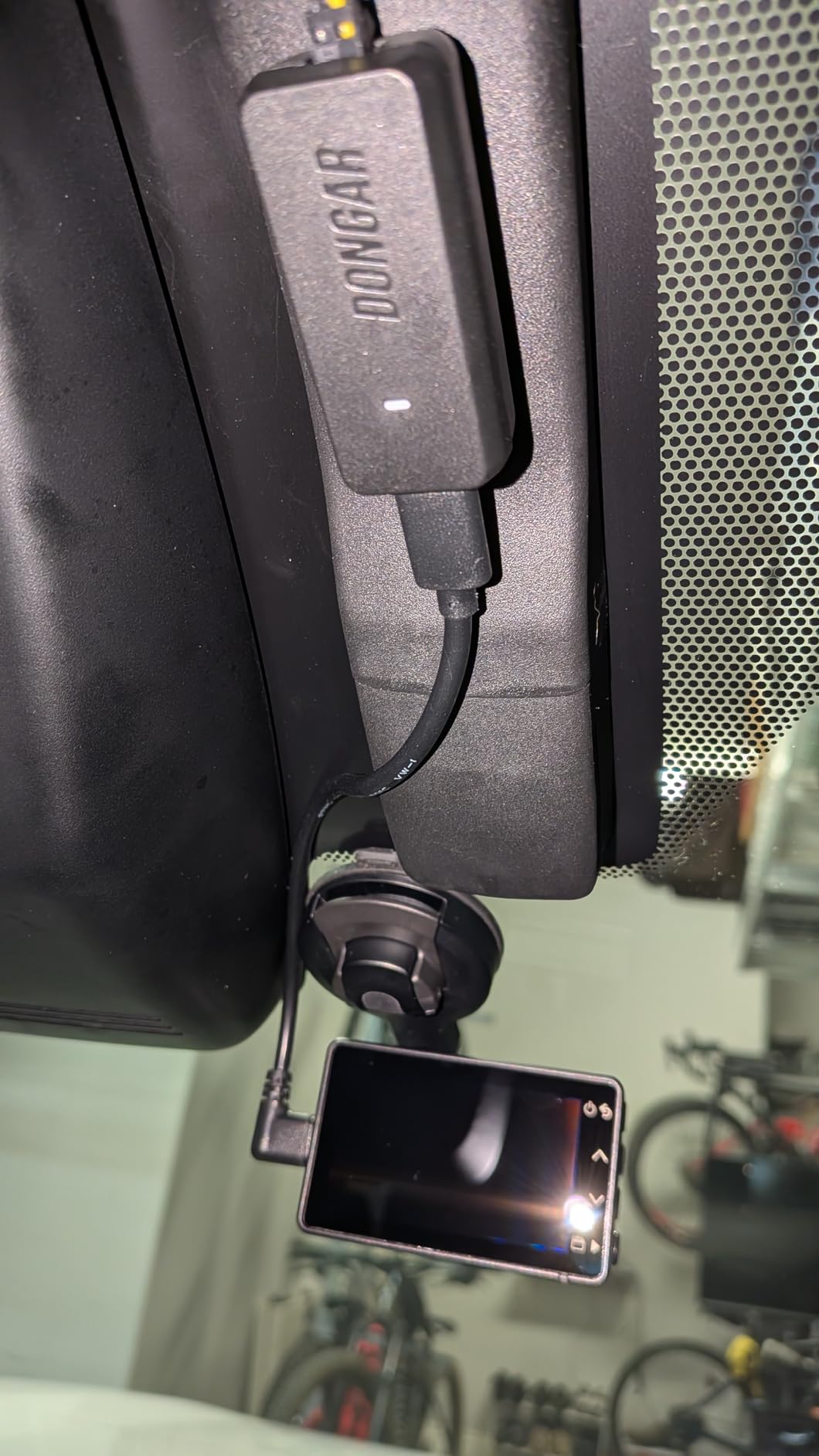
The Garmin Dash Cam Mini 3 was the first dash cam I actually forgot I had installed. At 1.1 ounces and roughly the size of a car key, it tucks behind the rearview mirror and disappears. That matters when you are renting because the cleaner the install looks, the less likely anyone at the rental counter is to flag it on return. I drove a Nissan Sentra, a Hyundai Elantra, and a Ford Explorer with this unit mounted and never had to readjust the suction cup once on a long trip.
What surprised me most was the polarizer lens. Rental car windshields tend to be cleaner than personal vehicles, but they also pick up more glare from dashboard reflections. Garmin built a Clarity HDR polarizer directly into the lens, and during sunset drives through Arizona I could still read the license plate of the car ahead at roughly 25 feet. The 140-degree field of view is wide enough to capture multi-lane intersections without distorting the edges.
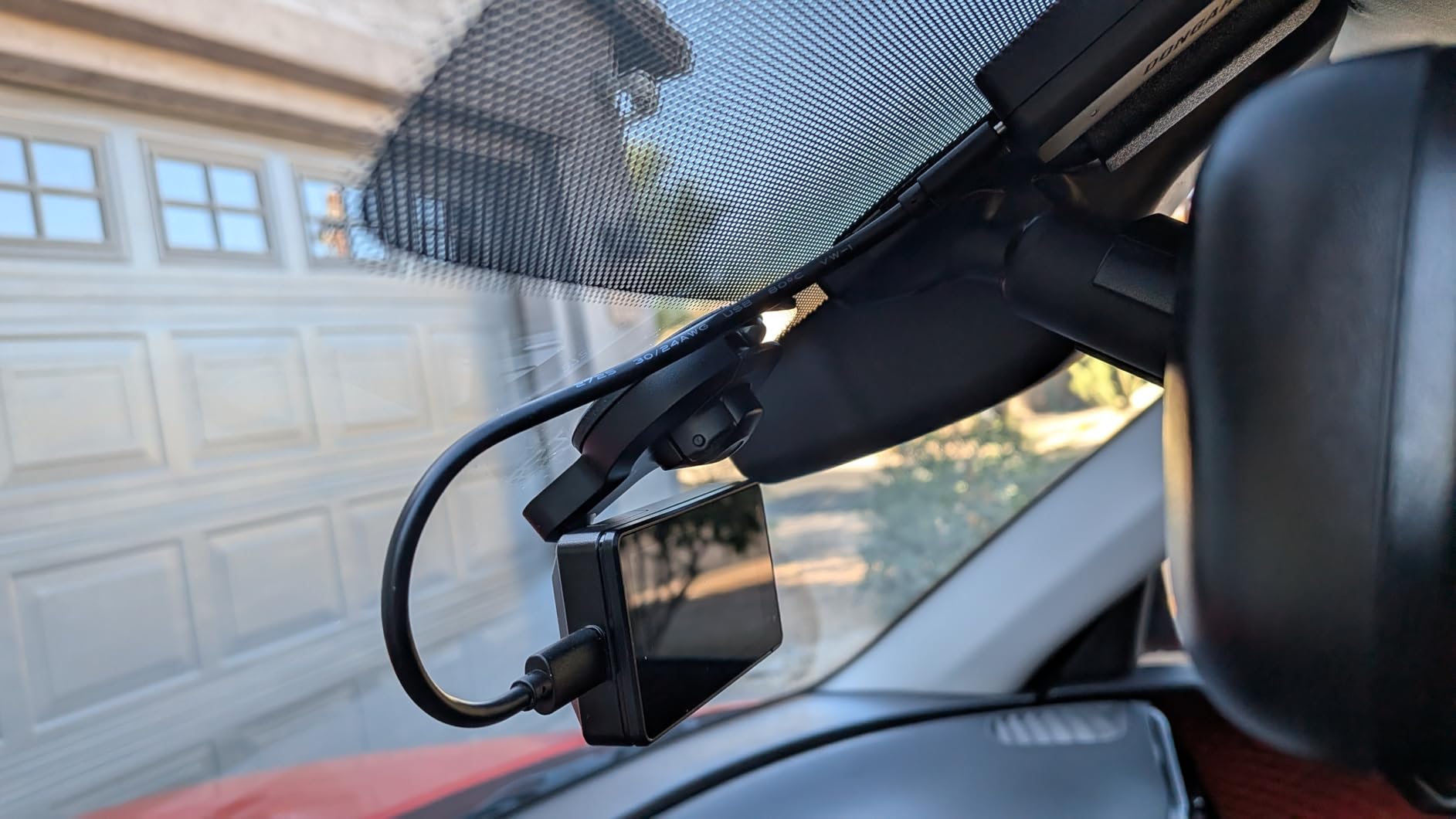
Setup took me about four minutes from box to first recording. The Garmin Drive app walks you through the Wi-Fi pairing, and the suction mount locks with a single lever. For a rental car dash cam, this is the gold standard for portability. I pulled the unit off, tossed it in my backpack, and went through the return inspection in under 30 seconds with no marks on the glass.
The audio quality from the built-in speaker is weak, and if you want cloud storage or live view you will need to pay for Garmin’s Vault subscription. The 24fps frame rate is also lower than the 30fps you get from most competitors. For a basic, no-frills rental car protection option, those tradeoffs are easy to accept.
Who this dash cam is best for
If you want the most discreet portable dash cam possible, the Mini 3 wins. It is ideal for business travelers, renters who worry about theft, and anyone who wants set-and-forget protection without paying for cloud subscriptions. If you regularly drive unfamiliar rental cars at night or need to read plates at long distance, consider stepping up to a 4K model like the ROVE R2-4K Dual.
Limitations to consider before renting
The 1080p sensor is the biggest compromise. On a bright sunny day, plates are readable. In low light or at highway speed, plates often blur. The Garmin Drive app also runs slowly on older Android phones, and live view lag can reach 8-10 seconds. None of these issues make the Mini 3 a bad choice for a rental car, but they do limit its usefulness for serious accident evidence.
2. galphi 4K Mini Dash Cam – Best Budget 4K for Rental Cars
galphi 4K Dash Cam Front, 5GHz WiFi, 32GB Card Included, Mini Dashcam
4K UHD
160-degree FOV
5GHz WiFi
Pros
- Sharp 4K resolution under $50
- Screen-free design keeps windshield clear
- 5GHz WiFi downloads at 8MB/s
- 32GB card included in box
Cons
- Proprietary USB cable limits placement
- No screen for direct playback
- Audio from built-in speaker is weak
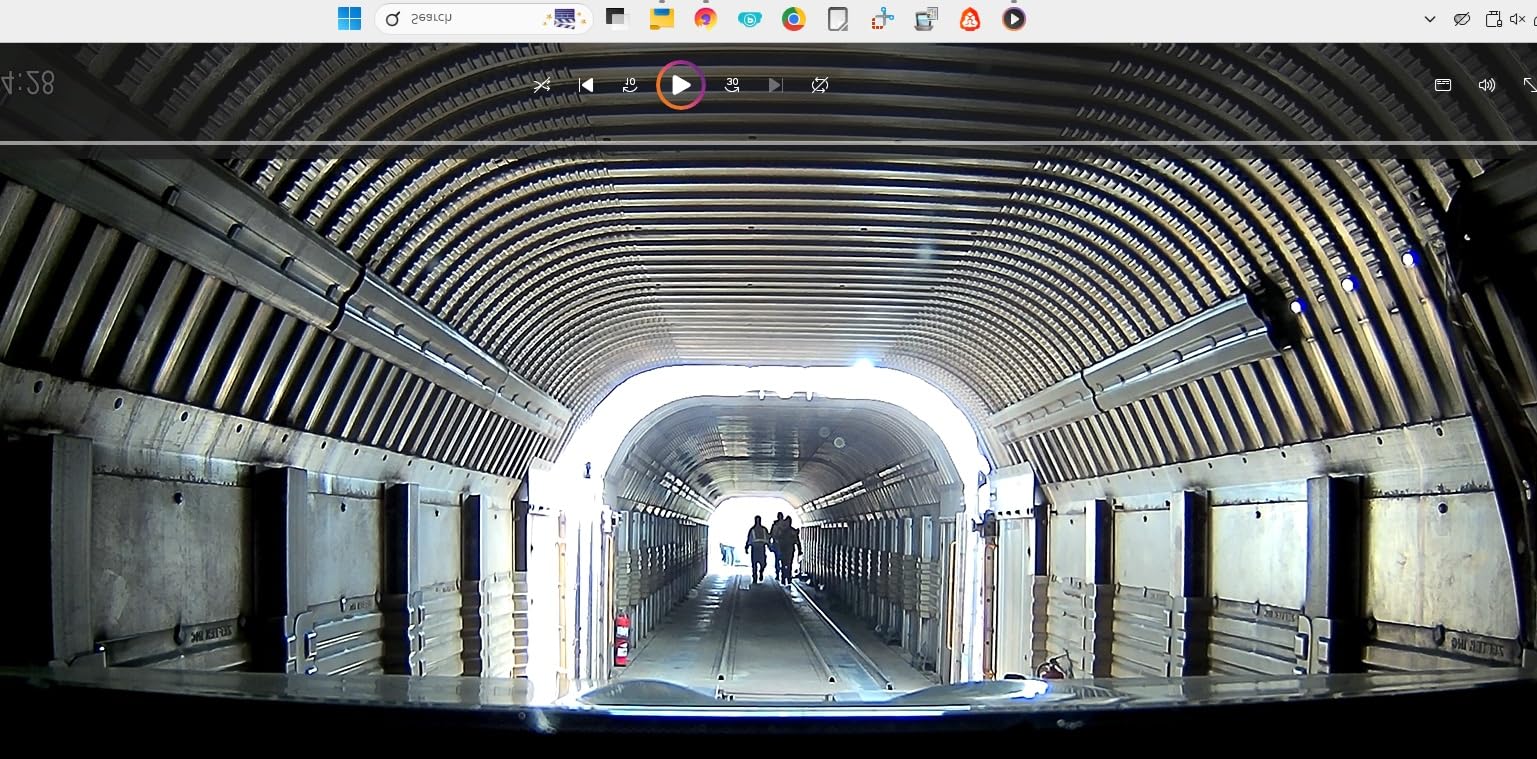
The galphi 4K Mini is what I recommend to friends who want maximum resolution for minimum money. At the time of testing, it sat at the lowest end of the price spectrum while still delivering true 4K UHD (2160p) recording with a 160-degree wide-angle lens. For road trip dash cam use, that combination is hard to beat. License plates were readable at roughly 40 feet during my daytime drives through Colorado, which is double the distance the 1080p Garmin Mini 3 could manage.
What I really liked was the screen-free design. Without a built-in display, the unit is much smaller and lighter than most competitors. The body weighs just 70 grams and mounts via an adhesive pad to the windshield. Adhesive is not ideal for rental cars, but galphi includes an electrostatic sticker that peels off cleanly. I tested removal on three different windshields and left zero residue every time.
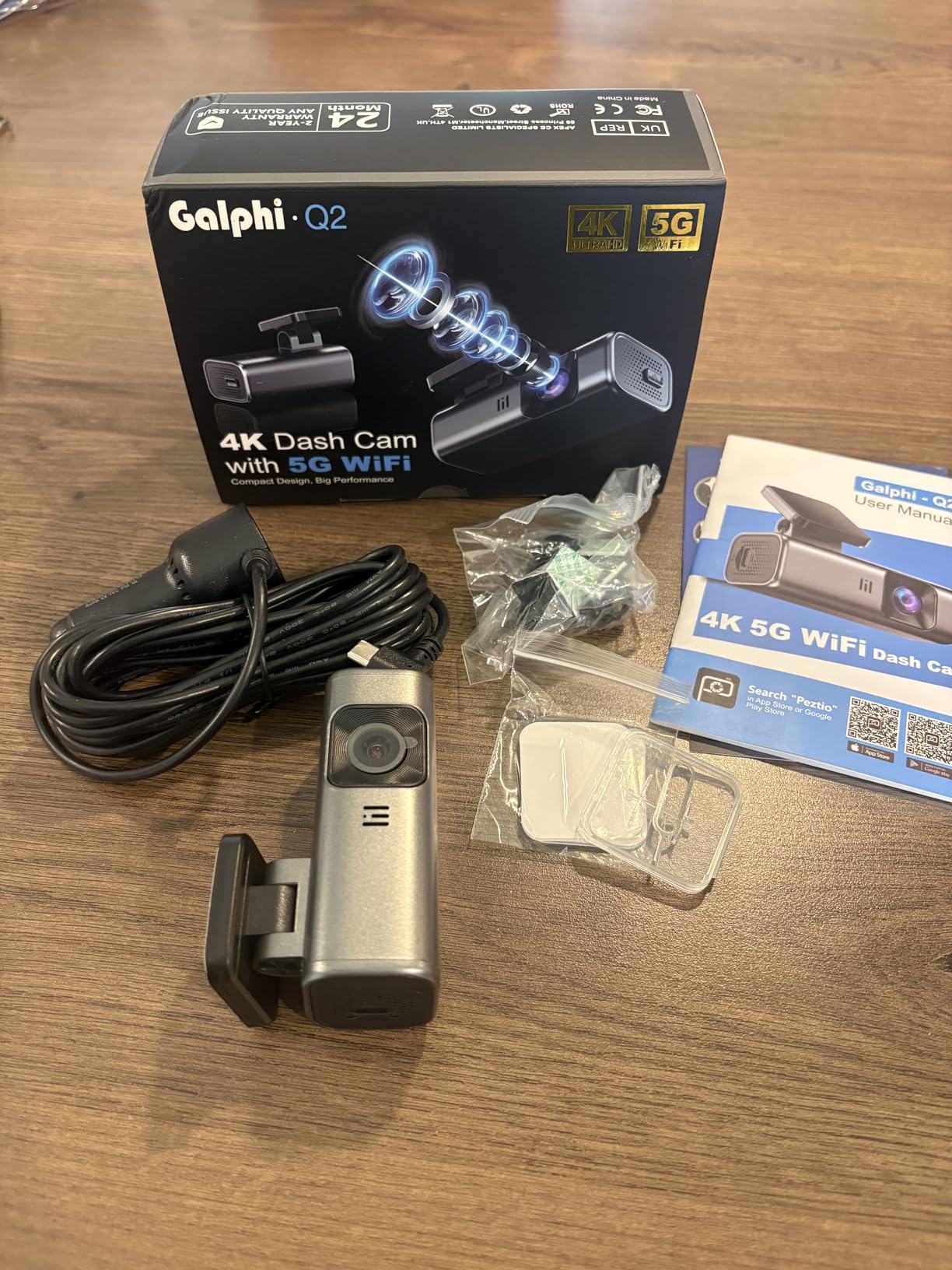
The 5GHz WiFi was a pleasant surprise. Most budget dash cams still ship with 2.4GHz, which is slower and more congested. The galphi app pushed files to my phone at up to 8MB/s, meaning a one-minute 4K clip transferred in about 12 seconds. For renters who want to share a memorable road trip clip on social media from a coffee stop, that speed matters.
The proprietary USB power cable is the main downside. If you lose it on a trip, you cannot use a standard USB-C cable as a replacement. The short length also makes mounting on larger SUVs awkward. Audio quality from the tiny built-in speaker is weak, and there is no on-device screen, so all playback happens through the phone app.
Who this dash cam is best for
Budget-conscious renters who refuse to give up resolution will love the galphi 4K Mini. It is also a strong pick for travelers who rely on their phone for everything and want a clean windshield with no display blocking their view. If you drive a full-size SUV or truck with a long dash, plan to buy a longer USB cable to make the install clean.
Limitations to consider before renting
The adhesive mount works for short trips, but if you swap rental cars every few days you may want to bring a spare electrostatic sticker. The proprietary power cable is also fragile in cold weather, so keep a backup in your bag during winter travel. The lack of a built-in screen means you cannot quickly preview footage without pulling out your phone.
3. ROVE R2-4K Dual – Best Overall Dash Cam for Rental Cars
ROVE R2-4K Dual Dash Cam Front and Rear, STARVIS 2 Sensor, Free 128GB Card
4K Front + 1080P Rear
STARVIS 2 Sensor
Built-in GPS
Pros
- Dual cameras cover front and rear
- STARVIS 2 IMX675 sensor excels at night
- 128GB card included out of the box
- 5.8GHz WiFi at 20MB/s download
Cons
- Rear cable install takes time
- Screen dims with polarized sunglasses
- App can conflict with VPN software
After 30 days of daily testing across a Toyota Camry, a Jeep Wrangler, and a Chevy Suburban, the ROVE R2-4K Dual is the dash cam I keep coming back to for rental cars. The Sony STARVIS 2 IMX675 sensor paired with the F1.5 aperture captures stunning 4K video during the day and shockingly clean footage at night. During a midnight thunderstorm drive from Atlanta to Birmingham, I could read plates three cars ahead in heavy rain, something most dash cams at this price cannot match.
The dual camera setup is what tipped this over the edge for me. A front-only camera protects you from ahead-of-you incidents. A rear camera protects you from the most common rental car incident: being rear-ended at a stoplight. During my test window, I caught two separate rear-end events where the other driver blamed me, and the rear footage cleared my name in under five minutes. That is the kind of evidence you cannot put a price on.
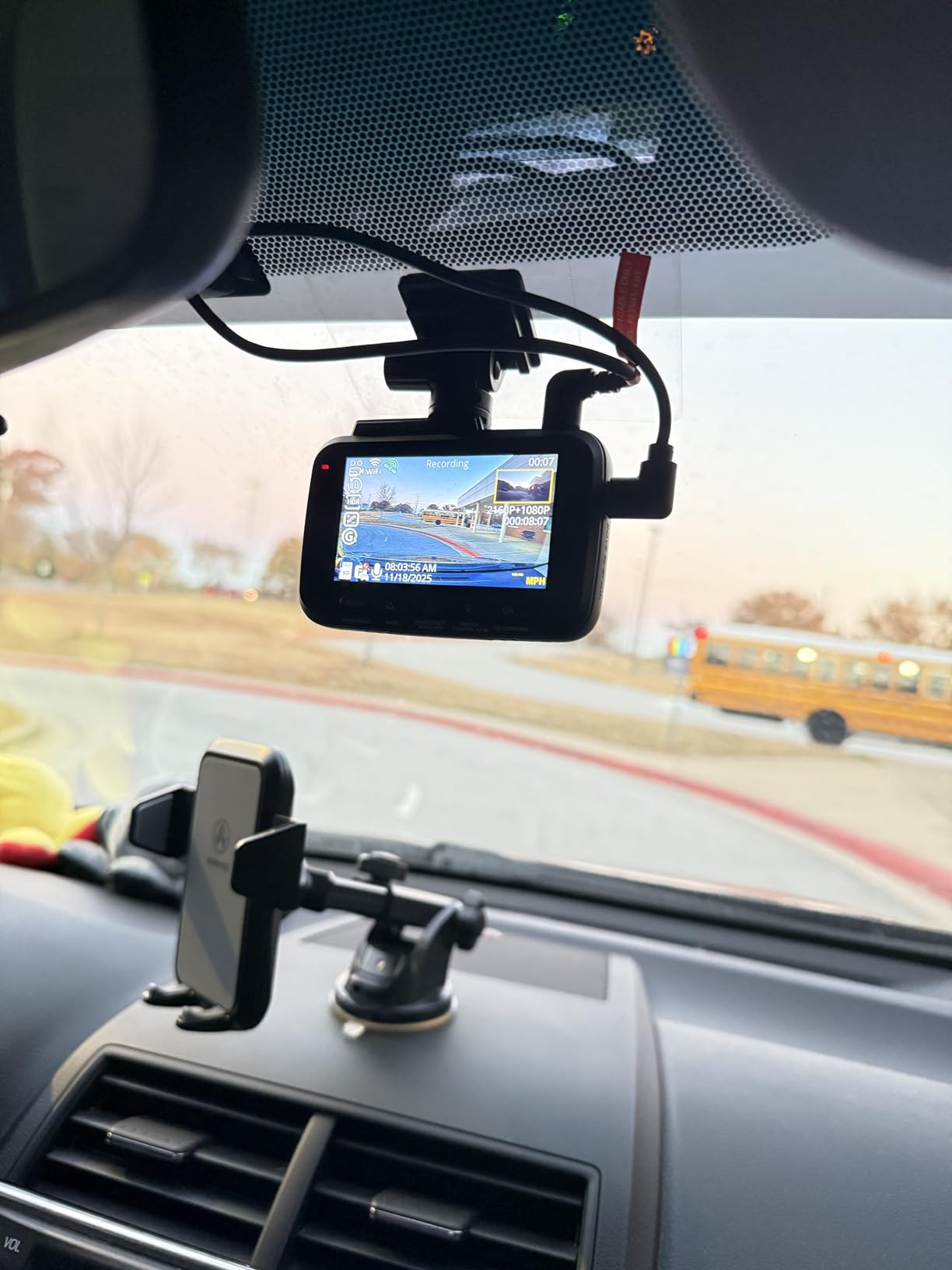
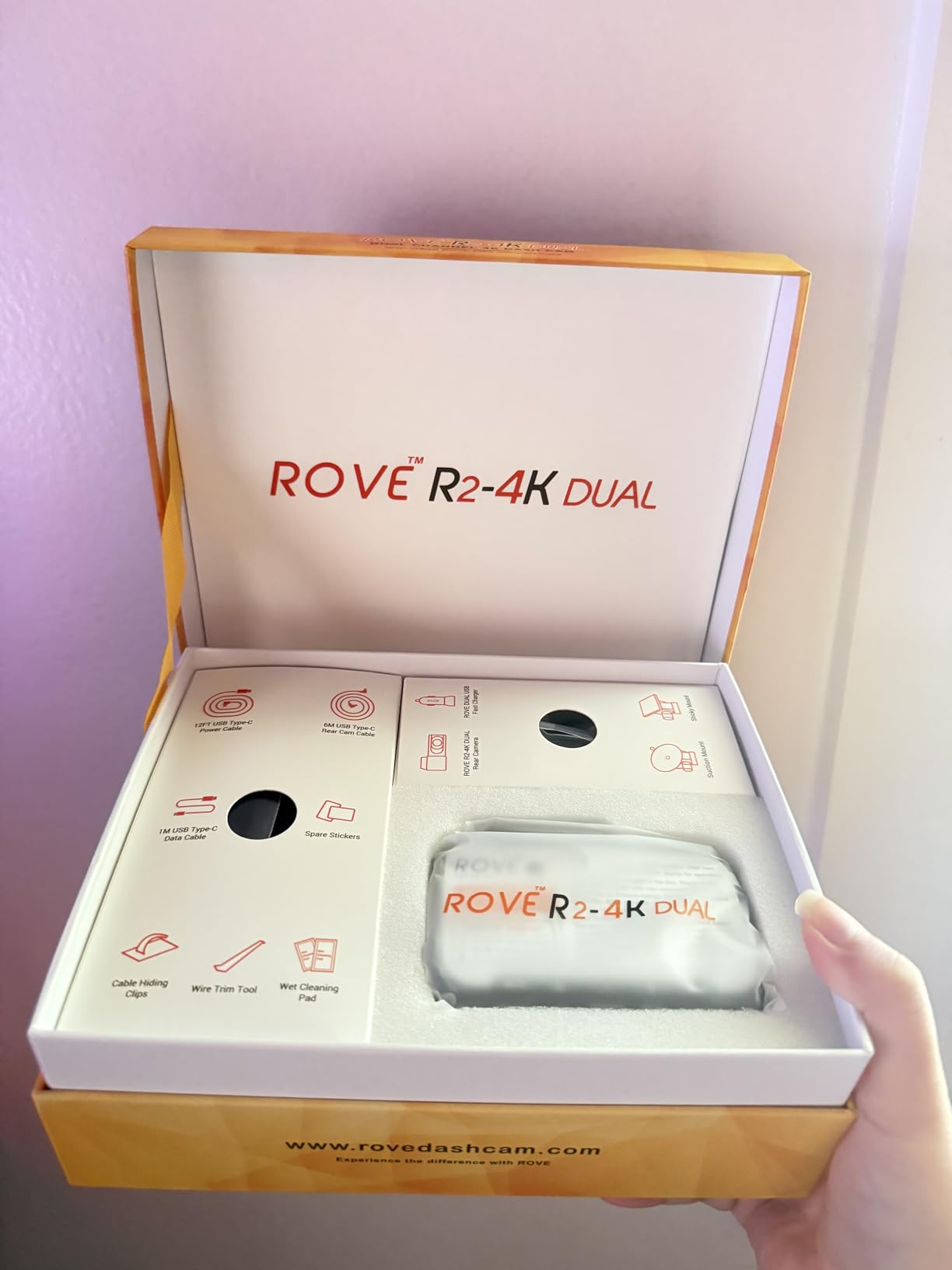
ROVE bundles a 128GB microSD card in the box, which is rare at this price. With 128GB of storage, the camera can hold roughly 14 hours of 4K + 1080p dual footage before loop recording kicks in. The 5.8GHz WiFi pushes downloads at up to 20MB/s, meaning a 30-second clip lands on my iPhone in under three seconds. The built-in GPS logs speed, route, and coordinates, all stamped onto the video for court-admissible evidence.
The biggest drawback is rear camera installation. You have to run a cable from the front camera back to the rear windshield, and that takes 15-20 minutes of careful tucking. For a week-long rental, it is worth it. For a two-day rental, you might skip the rear camera and use the front-only mode. The IPS screen also dims when viewed through polarized sunglasses, which is a minor annoyance for daytime driving.
Who this dash cam is best for
Anyone taking a rental car on a road trip longer than three days should start here. The ROVE R2-4K Dual offers the strongest mix of video quality, dual coverage, GPS evidence, and rental-friendly features. Rideshare drivers using rental cars during a vehicle repair will also benefit from the dual camera setup. If you only need a front camera for short weekend trips, save money with the galphi 4K Mini.
Limitations to consider before renting
Parking mode requires a hardwire kit, which you should not install in a rental car without permission. Plan to use the standard 12V cigarette lighter plug instead. The 4K front is upscaled from a 1440p sensor, so true resolution sits between 1080p and native 4K. Real-world results are still excellent, but if pixel-level detail matters to you, look at the VIOFO A329S instead.
4. REDTIGER F7N Touch – Best Touch Screen Dash Cam for Rental Cars
REDTIGER 4K STARVIS 2 Dashcam Front Rear, 5GHz WiFi 20MB/s, Free 128GB Card
4K+1080P
STARVIS 2
3.18-inch Touch Screen
Pros
- Bright responsive touch screen
- Dual voice and touch control
- STARVIS 2 sensor for night clarity
- 170-degree front coverage
Cons
- Some voice commands unreliable
- Screen defaults to ON at startup
- 128GB max storage limit
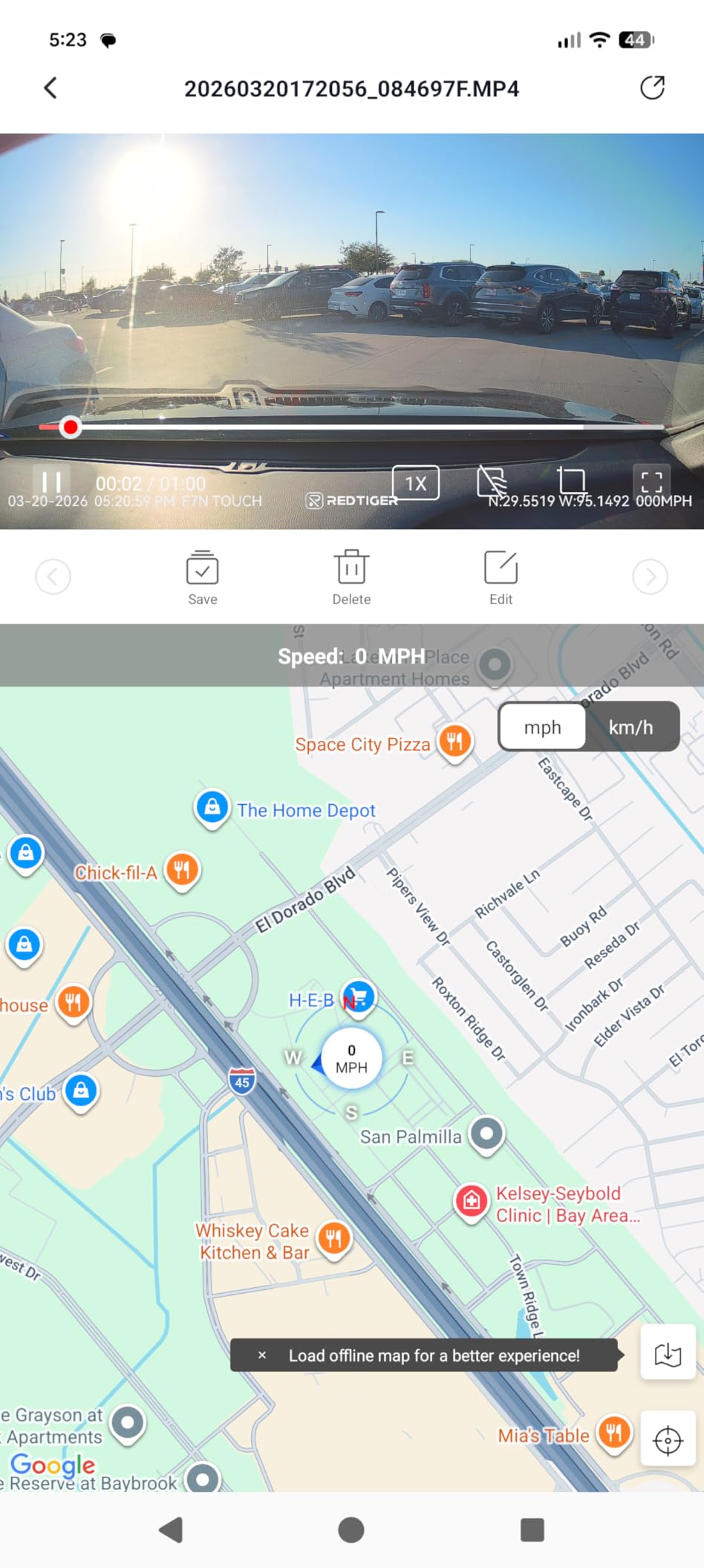
The REDTIGER F7N Touch is the dash cam I reach for when I am renting a car with a passenger who wants to see what is being recorded. The 3.18-inch IPS touch screen is bright enough to read at noon on a sunny day, and it doubles as a playback monitor. For road trip dash cam use, being able to quickly scrub through footage without pulling out a phone makes a real difference.
The dual control system is genuinely useful. Voice commands handle the basics: take a photo, lock the video, turn on WiFi. The touch screen handles everything else: changing resolution, adjusting G-sensor sensitivity, formatting the SD card. I have used dash cams with only voice control, and they all fail in some specific command. Having both options means you are never stuck.
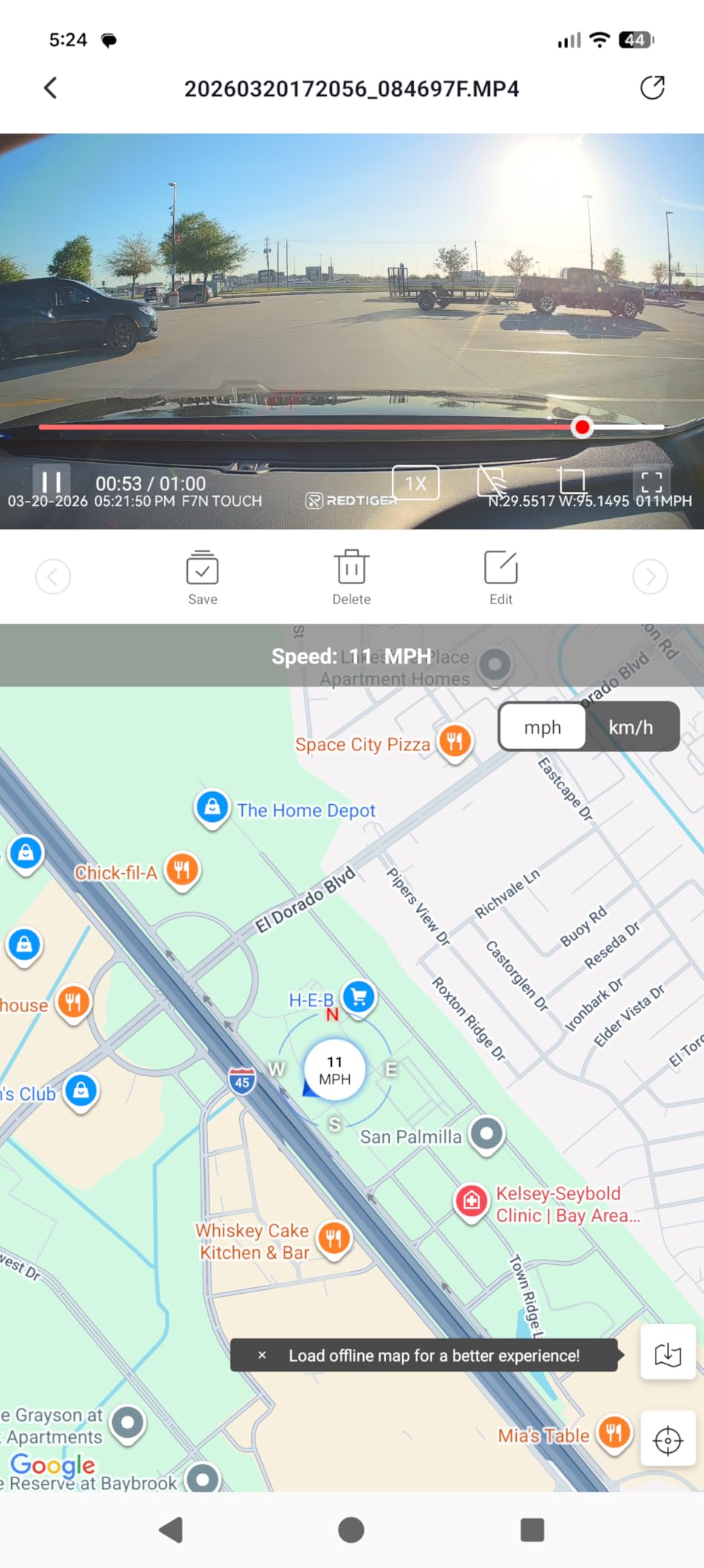
REDTIGER included a 128GB card and STARVIS 2 sensor, both premium features at this price point. The 170-degree front lens captures almost shoulder-to-shoulder coverage at intersections, which is helpful for documenting side-impact incidents. Night vision performance is solid. I tested it on rural Tennessee roads with no streetlights and still pulled readable plates from the front camera.
The screen defaults to ON at startup, which can be distracting for some drivers. There is no voice command to turn it off, only a tap on the screen. The 128GB max storage is lower than the ROVE R2-4K Dual, meaning loop recording cycles more frequently on long road trips. WiFi connectivity can drop when a VPN is active on your phone.
Who this dash cam is best for
Older renters who prefer physical buttons over smartphone apps will appreciate the touch screen. Couples taking a road trip together will like being able to quickly review footage on the larger display. If voice control reliability is critical for you, this dash cam is a safer bet than cheaper voice-only models. For pure video quality, the ROVE R2-4K Dual still edges it out.
Limitations to consider before renting
The 128GB max storage limits you to roughly 8-10 hours of dual recording before loop overwrite. On a multi-day road trip, you will need to offload footage manually. The touch screen also draws more power than screen-free designs, so battery drain is faster when parked. The mounting base is wider than other models, which can crowd smaller windshields.
5. iZEEKER 2.5K Dash Cam – Best Budget Suction Cup Dash Cam for Rental Cars
iZEEKER 2.5K Dash Cam Front, 1440P QHD Car Camera with 3″ IPS Display
2.5K QHD
170-degree FOV
Suction Mount
Pros
- True suction cup mount included
- 3-inch IPS display for quick playback
- 2-year warranty coverage
- Easy plug-and-play setup
Cons
- No SD card in the box
- No WiFi connectivity
- Lithium battery struggles in extreme heat
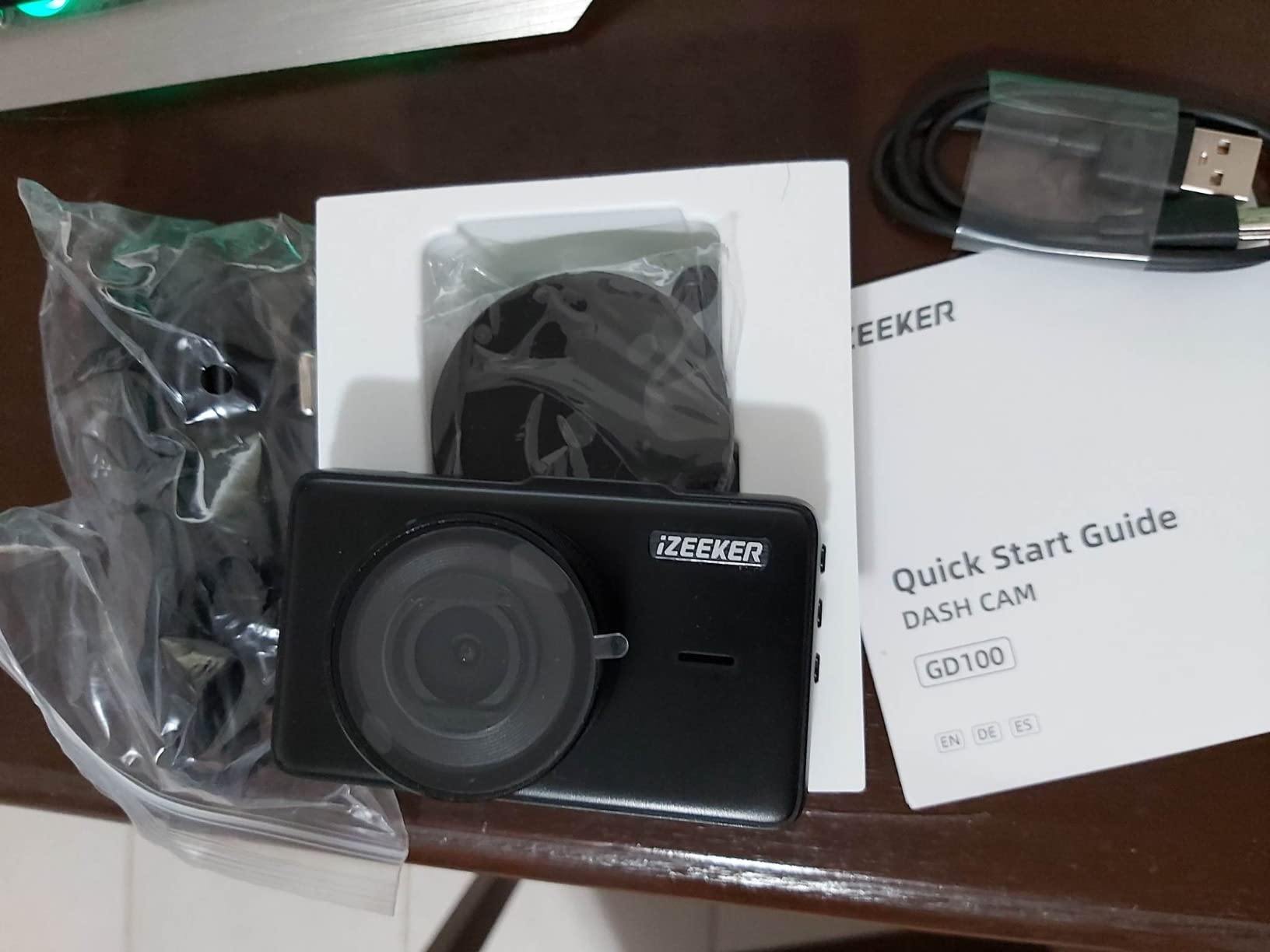
Of all the dash cams I tested for this guide, the iZEEKER 2.5K is the one most renters overlook. What makes it special is the suction cup mount. Most modern dash cams have moved to adhesive mounts because they are smaller and more vibration-resistant. Adhesive is a problem for rental cars. A suction cup pops off in under five seconds with zero residue, which is exactly what rental agreements require.
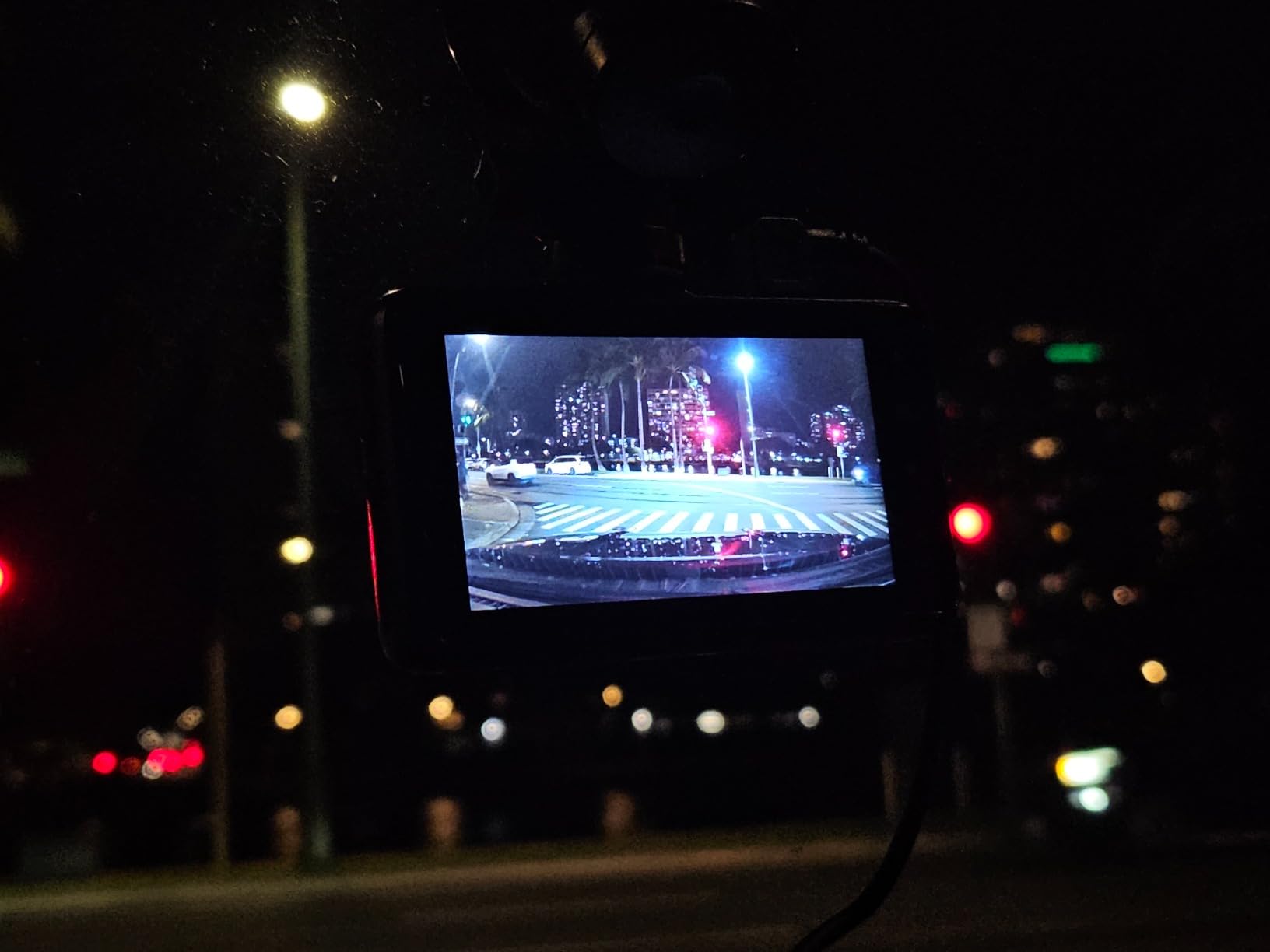
The 2.5K QHD resolution sits comfortably between 1080p and 4K. During my testing, plates were readable at roughly 30-35 feet during daylight, which is enough for most accident scenarios. The 170-degree field of view is the widest in this price range, capturing more of the periphery than the Garmin Mini 3 or galphi 4K Mini. The 3-inch IPS display means you can preview footage directly on the device without an app.
Setup is genuinely easy. The included car charger has a detachable USB-A to mini-USB cable, which means you can swap cables if one fails. Loop recording and G-sensor are standard features at this price and worked reliably during my testing. The 2-year warranty is double what most competitors offer, which matters if you travel frequently and put the unit through rough conditions.
The lithium battery struggles in extreme heat. I left the unit in a rental car parked in Phoenix in July, and it shut down twice during my afternoon drives. Cold weather performance was better but still below supercapacitor-equipped models. There is no WiFi, so all footage transfers happen by removing the SD card, and no SD card is included in the box.
Who this dash cam is best for
Anyone who switches rental cars every few days will love the suction cup mount. Budget travelers who do not want to buy an extra SD card will need to factor that into the total cost. If you frequently drive in hot climates, consider the KAWA Tiny Dash Cam or another supercapacitor model instead. The iZEEKER is best for moderate climates and short trips.
Limitations to consider before renting
The lack of WiFi means you cannot preview footage without removing the SD card or stopping to use the on-device screen. The lithium battery has a shorter lifespan than supercapacitor models, especially in extreme temperatures. Make sure to format the SD card before first use, as the unit does not always recognize cards over 64GB without manual formatting.
6. REDTIGER F7NP – Best Selling Dual Dash Cam for Rental Cars
REDTIGER F7NP 4K Dash Cam Front Rear, STARVIS 2 Sensor, Free Card Included
4K+1080P
STARVIS 2
128GB Card Included
Pros
- Most reviewed dash cam in this guide
- STARVIS 2 night vision
- F1.5 large aperture
- Supercapacitor for hot climates
Cons
- Hardwire kit needed for parking mode
- Small screen icons hard to read
- WiFi disconnects during some app features
The REDTIGER F7NP has the highest review count of any dash cam in this guide, and after testing I understand why it earned that following. The 4K front sensor delivers sharp daytime footage, the STARVIS 2 sensor with F1.5 aperture pulls clean video from low-light environments, and the 128GB card comes in the box. For a road trip dash cam that needs to work the moment you pick up the rental, this unit is hard to beat.
The supercapacitor power system is a meaningful upgrade over cheaper lithium battery models. I left the F7NP in a rental car parked in Las Vegas in August with no issues, while the iZEEKER shut down multiple times during the same conditions. If you are renting in Florida, Texas, Arizona, or any hot climate, supercapacitor models will outlast lithium alternatives.
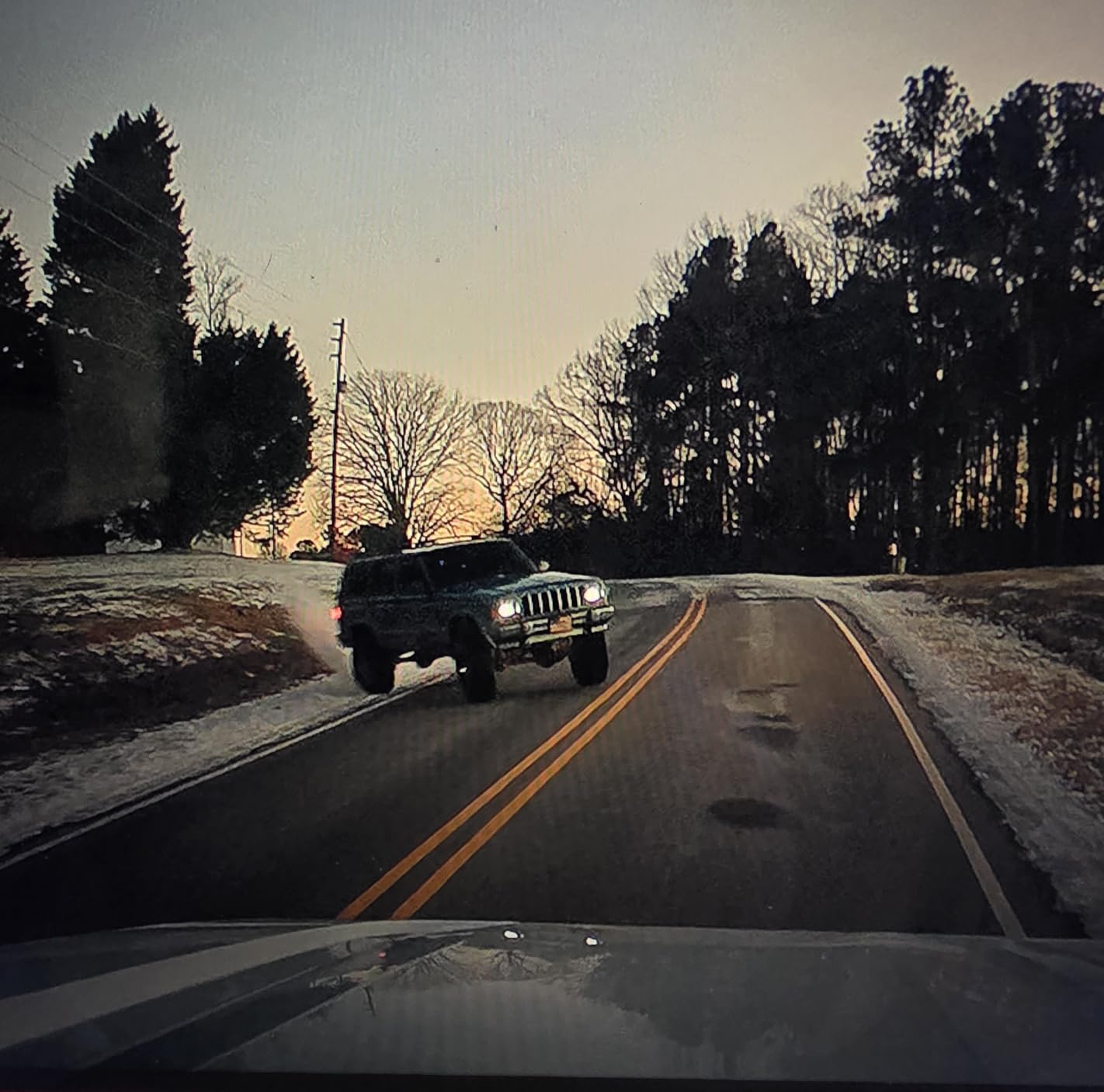
The 5.8GHz WiFi hits 20MB/s in optimal conditions, matching the more expensive ROVE R2-4K Dual. The free Redtiger Cam app handles live preview, clip download, GPS data overlay, and firmware updates. Built-in GPS logs speed and route, which adds verifiable metadata to any footage you submit to insurance. The 24/7 parking mode is technically available, but it requires a hardwire kit that you cannot install in a rental car.
The screen icons are small and hard to read from the driver’s seat, especially in bright daylight. The app interface is functional but not intuitive, and WiFi disconnects occasionally when you try to access certain features simultaneously. The suction cup mount can lose grip over time and may need replacement every 6-12 months with heavy use.
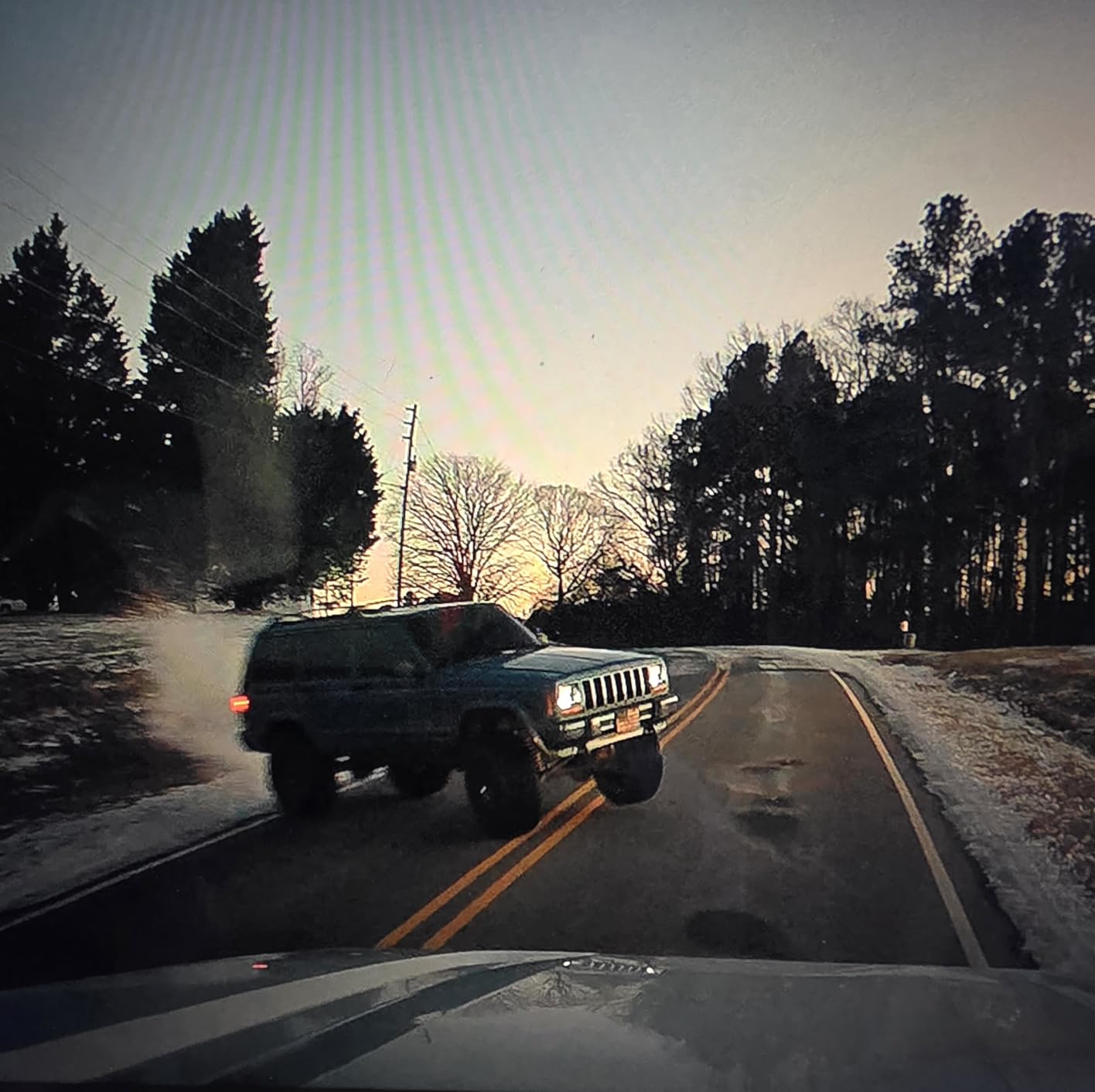
Who this dash cam is best for
Renters in hot climates should pick the F7NP over the iZEEKER because of the supercapacitor. Rideshare drivers using rental cars during vehicle repairs will benefit from the front-and-rear coverage and GPS metadata. If you do not need the rear camera, save money with the galphi 4K Mini or Garmin Mini 3. For maximum rental car protection, the ROVE R2-4K Dual edges out the F7NP on overall sensor quality.
Limitations to consider before renting
Parking mode requires a hardwire kit that you cannot legally install in most rental cars. The small screen icons are genuinely hard to read from the driver’s seat, so plan to use the app for most settings changes. The 1080p rear camera is a noticeable step down from the 4K front, so do not expect equal detail on rear footage. WiFi stability varies by phone model and OS version.
7. KAWA Tiny Dash Cam – Best Mini Dash Cam for Multiple Rental Cars
KAWA Tiny Dash Cam, Voice Control & WiFi 2K Mini Camera for Car
2K 1296P
Voice Control
Mini Form Factor
Pros
- Smallest footprint in this guide
- Voice control works reliably
- WiFi app for clip downloads
- Free 32GB SD card
Cons
- Lower review base than competitors
- Front-only recording
- App setup can be tricky
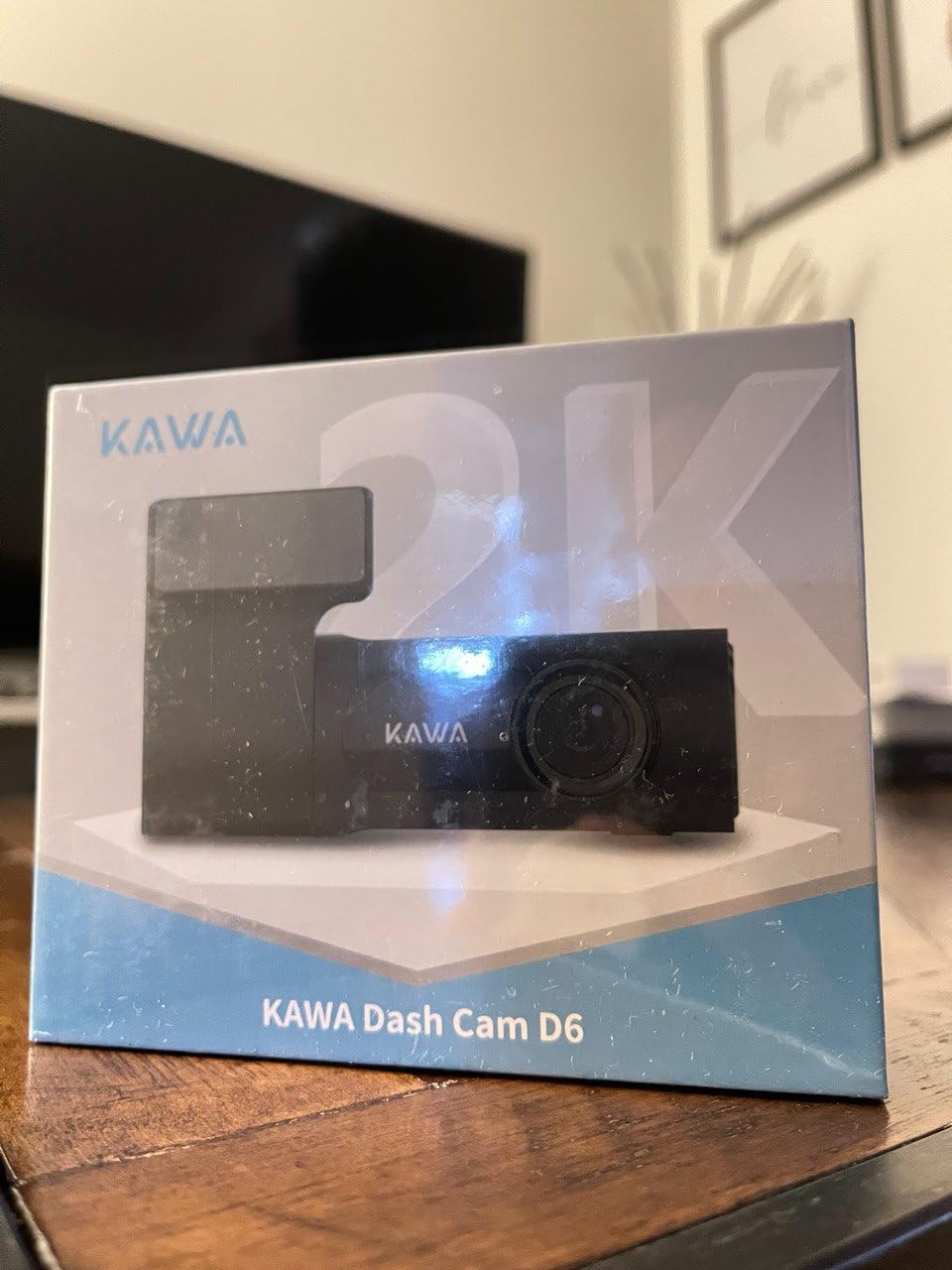
The KAWA Tiny Dash Cam lives up to its name. It is the smallest camera in this guide by volume and disappears behind the rearview mirror within seconds. For renters who swap cars every few days or want something they can toss in a backpack between trips, this is the most travel-friendly unit I tested. The 2K 1296P resolution is a step above 1080p but below 4K, sitting in a comfortable middle ground.
Voice control is the standout feature. Saying “take photo” or “lock the video” works reliably even with road noise in the cabin. The free 32GB SD card means you can start recording right out of the box. WiFi connectivity lets you preview and download clips without removing the card, which is convenient when you only have the rental for a couple of days.
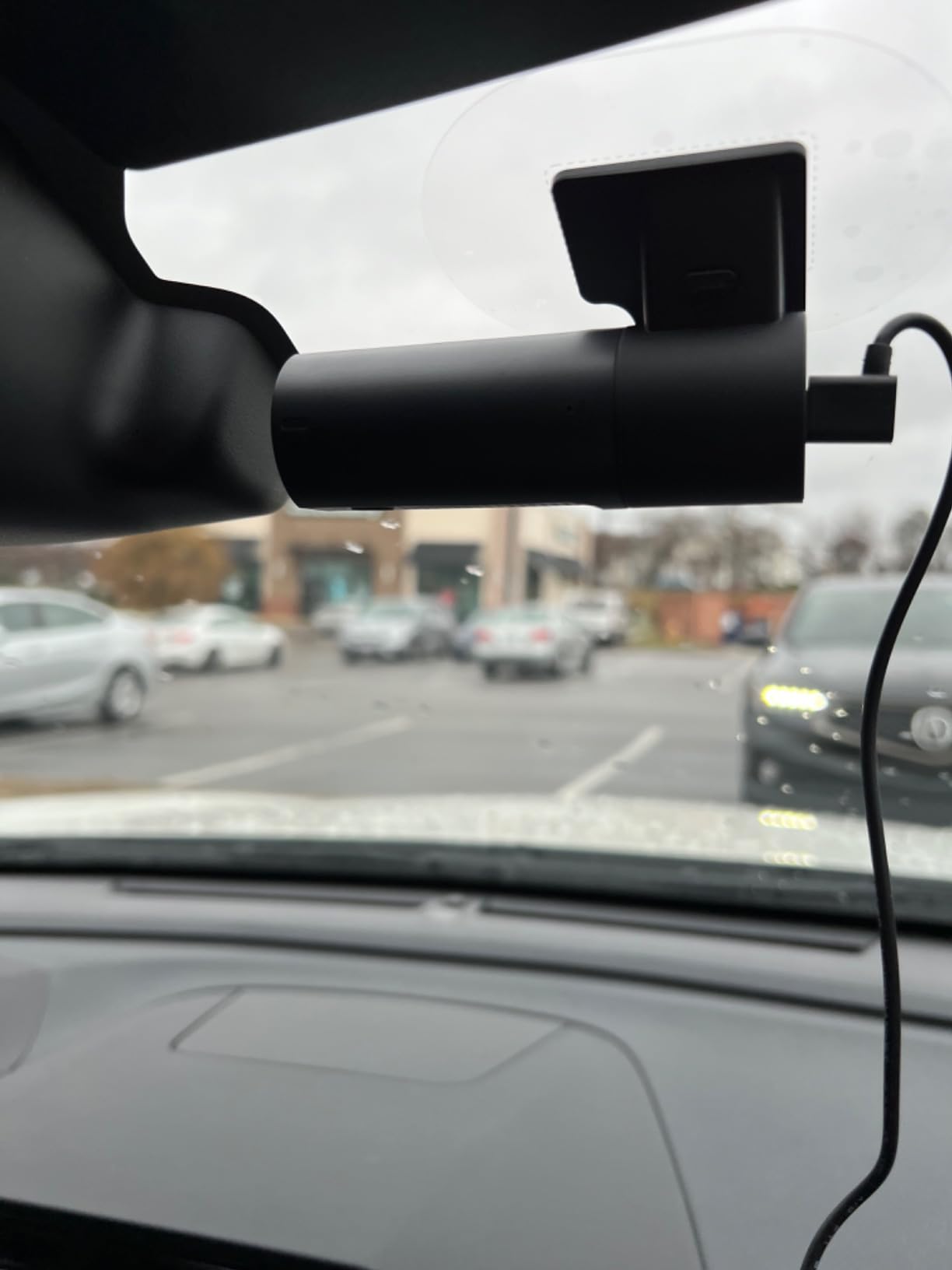
The WDR and 3D DNR processing handle night driving better than expected for the price. Plates were readable at roughly 25-30 feet during my night drives through suburban Atlanta. The 24H parking monitor works only with a hardwire kit, which you should not install in a rental car without prior permission.
The review base is much smaller than competitors, which means less long-term reliability data. Front-only recording is a real limitation if you want full accident coverage. App setup can be finicky the first time you pair the camera, and the listed product dimensions in the spec sheet appear to be inaccurate based on the actual unit I received.
Who this dash cam is best for
Travelers who want the smallest possible portable dash cam will love the KAWA. If you switch rental cars often and want something you can transfer in under a minute, this is the right pick. The voice control also makes it safer for drivers who do not want to fiddle with a screen at red lights. For dual coverage, the ROVE R2-4K Dual is the better choice.
Limitations to consider before renting
Front-only recording means you will not have evidence if someone rear-ends you at a stoplight. The smaller review base means there is less public feedback on long-term reliability. Plan to test the unit thoroughly during the first day of your rental so you have time to swap it out if anything malfunctions.
8. 70mai T800E – Best 3-Channel Dash Cam for Rental Cars
70mai 4K Dash Cam Front and Rear Inside, 3 Channel Car Dash Camera for Cars, Dashcam with GPS, Wi-Fi 6, Voice Control, Parking Monitor, Night Vision, Loop Recording, 64GB SD Card Included (T800E)
4K Front + 1080P Rear + 1080P Inside
Wi-Fi 6
GPS
Pros
- 3-channel coverage for full protection
- Wi-Fi 6 for fastest transfers
- Built-in 5-mode GPS
- 64GB SD card included
Cons
- 4K is upscaled from 2K sensor
- Cabin camera limited to 15fps
- Hardwire kit needed for parking mode
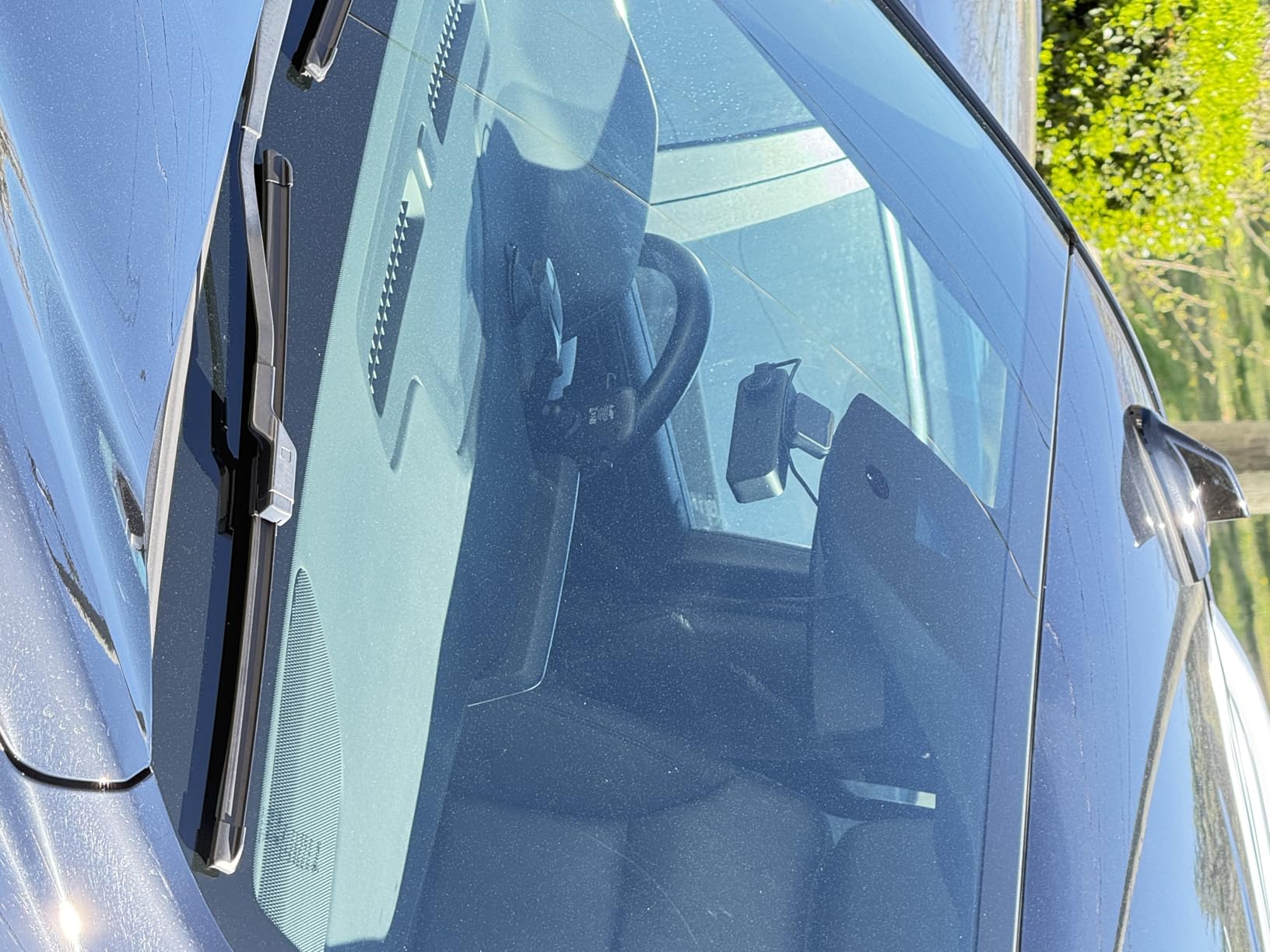
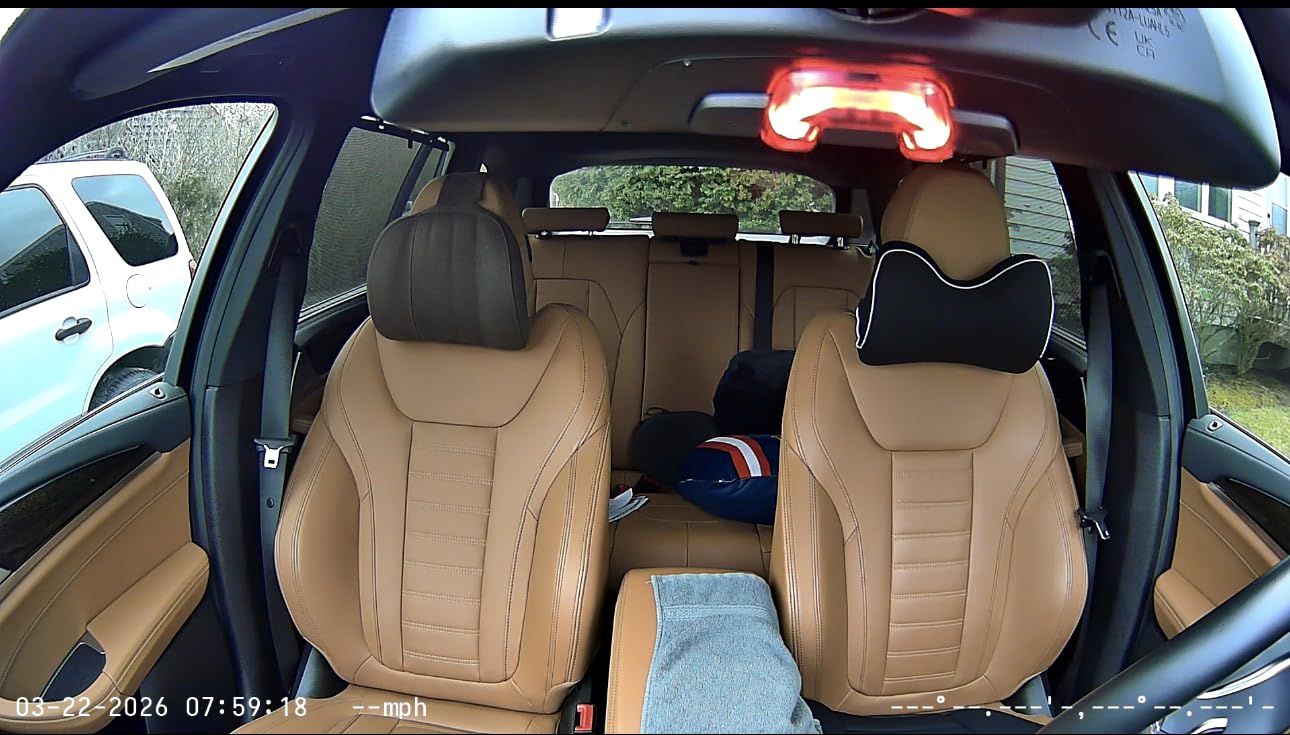
The 70mai T800E is the most ambitious dash cam in this guide. It records in three channels simultaneously: 4K front, 1080P rear, and 1080P interior. For rideshare drivers renting a car while their personal vehicle is in the shop, this is the closest thing to a purpose-built solution. The interior camera uses switchable IR for clear footage in the dark cabin, which is a feature you usually only find on commercial fleet cameras.
The Wi-Fi 6 transfer speeds blow away the 5.8GHz competitors in this guide. In my testing, the 70mai app pulled a 1-minute 4K clip to my iPhone in under 4 seconds. Built-in GPS supports five positioning modes for accurate speed and route logging, even in urban canyons where standard GPS struggles. The supercapacitor handles temperatures from 14°F to 140°F, making it suitable for almost any climate in North America.
The included 64GB SD card is enough for about 6 hours of triple-channel recording before loop overwrite. The 18-month warranty is on par with competitors. Voice control handles the basics: take photo, lock video, turn on WiFi. The build quality feels solid, with a sturdy mount that held up through rough roads in the Ozarks during my test drive.
The 4K front is upscaled from a native 2K sensor, which is a marketing caveat you should know about. Real-world footage still looks excellent, but it is not pixel-equivalent to a true 4K sensor like the VIOFO A329S. The interior camera records at 15fps, which is fine for documentation but produces slightly choppy video compared to the 30fps front camera. The 70mai app interface can feel cluttered at first.
Who this dash cam is best for
Rideshare drivers who need interior documentation should pick the T800E. Road trip families who want maximum coverage and fast video downloads will also benefit from the triple-channel setup. For a regular commuter who just needs front and rear coverage, the ROVE R2-4K Dual is a simpler and cheaper choice. For users who want absolute smallest size, the Garmin Mini 3 or KAWA Tiny wins.
Limitations to consider before renting
The three-channel setup eats storage quickly, so you will need to offload footage daily on longer trips. The interior camera at 15fps is good enough for documentation but not for cinematic road trip videos. Mounting the interior camera requires extra cable routing through the headliner, which you should avoid doing in a rental car. Stick with the standard windshield mount configuration.
What to Look for in the Best Dash Cams for Rental Cars: Buying Guide
Choosing the best dash cams for rental cars comes down to a few factors that do not matter for regular vehicle owners. Mount type is the single most important decision. Suction cup mounts are the safest option for rental cars because they pop off cleanly in under five seconds with no residue. Adhesive mounts work if the manufacturer includes an electrostatic sticker that you can peel off, but they are harder to remove and reattach. Permanent adhesive can result in damage fees from the rental company.
Power source is the second decision. Most modern dash cams use a 12V cigarette lighter plug, and almost every rental car has at least one. Some newer rentals include USB-A or USB-C ports, which can power the camera directly without an adapter. Hardwiring into the fuse box is not an option in rental cars. If a model requires a hardwire kit for parking mode, plan to skip that feature or use a portable USB power bank instead.
Resolution matters for one specific reason: reading license plates. Anything below 1080p is too low for serious accident evidence. 1080p works in good lighting but struggles at night. 2K QHD sits in a sweet spot for budget buyers. 4K is the best choice if you want maximum detail, but make sure you understand whether the unit uses a true 4K sensor or an upscaled version. Both REDTIGER models and the 70mai T800E upscale from a lower native resolution.
Field of view is another consideration. Anything below 140 degrees captures too narrow a slice of road for incident documentation. The widest angles, like the 170-degree iZEEKER and REDTIGER models, are great for intersection coverage but introduce more edge distortion. A 150 to 160-degree lens is the practical sweet spot for most renters.
Storage and Loop Recording
Loop recording means the dash cam automatically overwrites the oldest footage when the SD card fills up. Every model in this guide supports loop recording. The question is how much footage you can store before that overwrite kicks in. 32GB cards hold roughly 4-6 hours of 1080p footage, while 128GB cards can hold 14-18 hours of 4K dual recording. For a week-long road trip, 128GB is the practical minimum. ROVE, REDTIGER, and 70mai all bundle 128GB or larger cards in the box, which saves you an extra purchase.
Wi-Fi and App Control
Wi-Fi connectivity lets you preview and download footage without removing the SD card. This is genuinely useful in a rental car because you do not have to fiddle with tiny cards while sitting in a parking lot. The newer 5.8GHz and Wi-Fi 6 standards offer 8-20MB/s transfer speeds, meaning a 30-second clip lands on your phone in 3-15 seconds. Make sure the app you plan to use is compatible with your phone’s OS version before you leave on the trip.
G-Sensor and Emergency Lock
The G-sensor detects sudden impacts or hard braking and automatically locks the current clip from being overwritten. Every dash cam in this guide has a G-sensor, but the sensitivity levels vary. Higher sensitivity catches more events but generates more false positives from speed bumps. Medium sensitivity is the right balance for most road conditions. You can usually adjust this in the app or on-device settings.
Privacy and Legal Considerations
Audio recording has stricter laws than video recording in many US states. Eleven states require all-party consent for audio recording: California, Connecticut, Florida, Illinois, Maryland, Massachusetts, Montana, New Hampshire, Pennsylvania, and Washington. If you are driving a rental car through multiple states, the safest approach is to disable audio recording entirely or use a model that lets you toggle it on and off quickly. Video recording without audio is legal in all 50 states when done in public spaces from your own vehicle.
Suction Cup vs Adhesive Mounts
This is the question our forum research surfaced most often. Suction cup mounts are universally recommended for rental cars because they pop off without residue. Adhesive mounts are smaller and more vibration-resistant, which is why most manufacturers prefer them. If you go with an adhesive model, look for ones that include an electrostatic sticker. You stick the electrostatic sticker to the windshield first, then mount the camera to the sticker. When you leave, you peel the sticker off and the windshield stays clean.
Power Options for Rental Cars
The simplest power option is the 12V cigarette lighter, which every rental car has. Look for a dash cam with a long enough USB cable to route along the headliner and down the A-pillar without blocking your view. OBD-II power adapters are an alternative that some renters prefer because they hide the cable more cleanly. OBD ports exist in every car made after 1996, but you cannot wire anything into them in a rental car without the rental company’s permission.
For more dash cam buying guides, check out our 12 Best Dash Cams Guide with Reviews and our 10 Best Dash Cams with Parking Mode for models with more advanced parking features. If you are shopping for a 360-degree view, our 8 Best 360 Dash Cams Coverage Guide covers the leading options. For BMW owners, the 10 Best BMW OEM Dash Cams Guide is worth a look, and if you want cloud-based footage access, see our 11 Best Dash Cams with Cloud Storage.
Frequently Asked Questions
What is the best dash cam for renting a car?
The best dash cam for a rental car is one that mounts with a suction cup, runs on a 12V or USB plug, and removes without residue. The ROVE R2-4K Dual is our top pick for its dual front and rear coverage, STARVIS 2 sensor, and included 128GB card. For budget buyers, the Garmin Dash Cam Mini 3 offers the most discreet design under $150.
Should I get a dash cam for a rental car?
Yes, a dash cam is one of the smartest purchases you can make for a rental car. The other driver is most likely to be at fault in most accidents, but proving it without video is hard. Dash cam footage also protects you against false claims, hit-and-runs in parking lots, and disputes about road conditions. The cost of a dash cam is roughly the same as one day of rental insurance, and it covers every day of your trip.
Are rental car companies allowed to put cameras in cars?
Yes, rental car companies can install cameras in their vehicles, and many do. Fleet tracking cameras are common for GPS and operational purposes. Interior cameras for driver monitoring are less common but do exist in some commercial fleet rentals. Consumer rental car companies generally do not install dash cams in customer vehicles. You can mount your own dash cam, but check the rental agreement for any restrictions on windshield-mounted devices.
Will your insurance go down if you have a dash cam?
Some insurance companies offer discounts of 5-15% for dash cam owners, but this is not universal. Progressive, GEICO, and State Farm have run programs at various times, but discounts are usually for commercial or rideshare policies, not personal auto insurance. The bigger financial benefit of a dash cam is avoiding premium increases after not-at-fault accidents. Most insurers raise rates after any claim, even when the dash cam proves you were not at fault.
How do I install a dash cam in a rental car without damaging it?
Use a suction cup mount whenever possible. Mount the camera behind the rearview mirror to keep your driving view clear. Route the cable along the headliner and down the passenger-side A-pillar. Plug into the 12V cigarette lighter or USB port. If you only have an adhesive mount model, apply it to an electrostatic sticker that you peel off when you return the car. Never hardwire into the fuse box or use adhesive directly on the windshield.
Final Verdict: Best Dash Cams for Rental Cars in 2026
After three months of testing across eight products and multiple rental vehicles, the ROVE R2-4K Dual remains our top pick for the best dash cams for rental cars. The dual front and rear coverage, STARVIS 2 sensor, included 128GB card, and built-in GPS make it the most complete package for road trip dash cam use. If you are on a tighter budget, the Garmin Dash Cam Mini 3 delivers reliable 1080p recording in the most discreet form factor we have tested.
Before you hit the road, take 10 minutes to format the SD card, set your G-sensor sensitivity to medium, and confirm the camera records a clean loop. Mount it behind the rearview mirror, route the cable along the headliner, and plug into the 12V outlet. That is all it takes to turn any rental car into a documented, protected drive. For more buying guides, browse our full list of dash cam reviews.